Best Budget Gaming Laptops (2026)
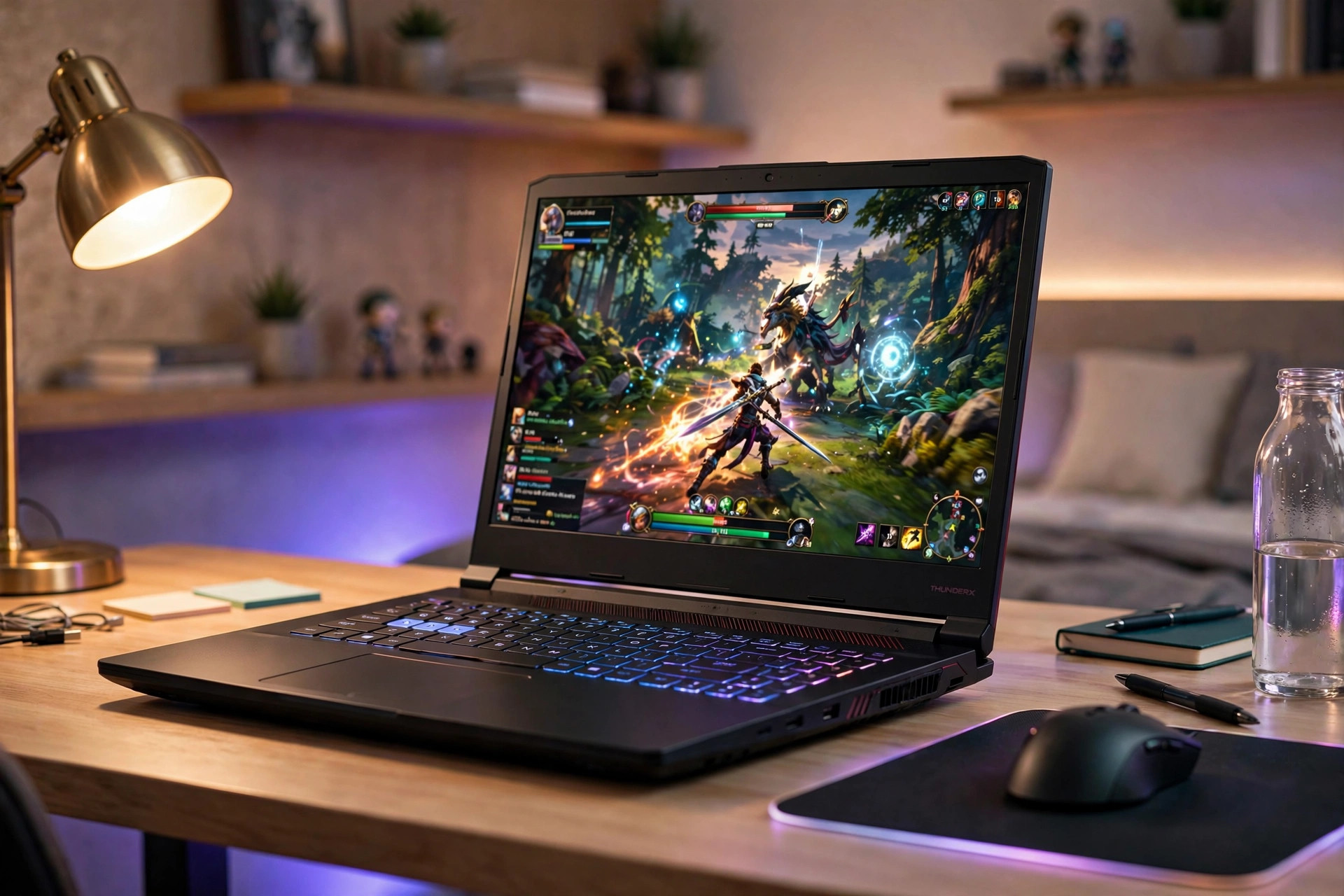
The best budget gaming laptops in 2026 pair an RTX 4050 or RTX 4060 GPU with 16GB of RAM and a high-refresh 1080p display for roughly $650–$1,000 — enough for smooth 1080p gaming without the premium price tag.
Spending two grand on a flagship is no longer the only way to play modern PC games on the go. This roundup covers six of the best budget gaming laptops for 2026 — from the rugged ASUS TUF Gaming A15 to the remarkably cheap MSI Thin A15 — compared purely on published specifications and reputable reviews. There are no hands-on test claims here: every number below comes from manufacturer spec sheets or established review outlets. Prices are approximate US street prices, which move with sales and stock — check current prices before buying.
Best Budget Gaming Laptops (2026): Quick Comparison
| Laptop | Best for | GPU | CPU | Display | Memory / storage | Approx. price |
|---|---|---|---|---|---|---|
| ASUS TUF Gaming A15 | Most durable | RTX 4050 6GB (140W) | Ryzen 7 7435HS | 15.6″ FHD 144Hz | 16GB DDR5 / 512GB SSD | ~$800–900 |
| MSI Thin A15 | Cheapest RTX 4060 | RTX 4060 8GB (140W) | Ryzen 7 7535HS | 15.6″ FHD 144Hz | 16GB DDR5 / 512GB SSD | ~$650–750 |
| Dell G15 (5530) | Strongest specs on sale | RTX 4060 8GB (140W) | Core i7-13650HX | 15.6″ FHD 165Hz | 16GB DDR5 / 512GB–1TB | ~$850–1,000 |
| Acer Nitro V 15 | Newest budget GPU | RTX 5050 8GB (75W) | Core i5-13420H | 15.6″ FHD 165Hz | 8GB DDR5* / 512GB SSD | ~$800–950 |
| HP Victus 15 | Best battery life | RTX 4050 6GB | Core i5-13420H | 15.6″ FHD 144Hz | 16GB DDR4 / 512GB SSD | ~$650–800 |
| Lenovo LOQ 15 | Best balanced value | RTX 4050 6GB | Ryzen 5 7235HS | 15.6″ FHD 144Hz | 16GB DDR5 / 512GB SSD | ~$750–950 |
*The Nitro V 15 often ships with 8GB of RAM in its cheapest config — budget for a 16GB upgrade.
1. ASUS TUF Gaming A15 — Best Overall Budget Pick
Best for: buyers who want full-power graphics and a chassis that survives real life.
The ASUS TUF Gaming A15 (FA507-class configurations) is the toughest machine on this list, and it backs that up with genuinely strong hardware: a Ryzen 7 7435HS (8 cores, 16 threads), an RTX 4050 6GB running at up to 140W — the full power limit for that GPU, not a cut-down variant — plus 16GB of DDR5 and a 512GB PCIe Gen4 SSD. The 15.6-inch FHD 144Hz IPS panel covers 100% of sRGB, which is unusually color-accurate for the budget tier. The standout spec, though, is durability: the TUF line carries MIL-STD-810H military-grade testing, so it handles bumps, vibration, and temperature swings better than most budget rivals.
- GPU: NVIDIA RTX 4050 6GB, up to 140W TGP
- CPU: AMD Ryzen 7 7435HS
- Display: 15.6″ FHD 144Hz IPS, 100% sRGB
- Memory / storage: 16GB DDR5 / 512GB PCIe Gen4 SSD
- Approx. price: ~$800–900 (check current prices)
Pros: full-power 140W RTX 4050; MIL-STD-810H durability certification; color-accurate display for the price. Cons: heavy at around 2.2 kg; battery life is modest; the chassis is chunky for a 15-incher.
2. MSI Thin A15 — Cheapest Way to an RTX 4060
Best for: pure performance-per-dollar.
The MSI Thin A15 (B7VF-class) is the value anomaly of 2026: it puts a full-power RTX 4060 8GB — up to 140W, same as laptops costing hundreds more — into a machine that has been reported on sale as low as $649.99. The Ryzen 7 7535HS, 16GB of DDR5, and 512GB Gen4 SSD round out a spec sheet with no obvious trap, and the 15.6-inch FHD 144Hz panel covers the basics. The RTX 4060 is roughly 15–25% faster than the RTX 4050 at the same power level, and its 8GB of VRAM is more comfortable for newer titles than 6GB.
- GPU: NVIDIA RTX 4060 8GB, up to 140W TGP
- CPU: AMD Ryzen 7 7535HS
- Display: 15.6″ FHD 144Hz
- Memory / storage: 16GB DDR5 / 512GB PCIe Gen4 SSD
- Approx. price: ~$650–750 (check current prices)
Pros: the cheapest RTX 4060 in the US by a wide margin; full 140W graphics power; 8GB VRAM for headroom. Cons: small 53.5Wh battery limits unplugged time; simple plastic build; a basic display with no frills.
3. Dell G15 (5530) — Best RTX 4060 on Sale
Best for: shoppers who can wait for one of Dell’s frequent deep sales.
The Dell G15 5530 is rarely worth its full list price — but Dell discounts it so often that the sale price is the real price. At around $850–1,000 on sale (Tom’s Hardware reported a Dell-direct price of $899.99, down from $1,199.99), you get an Intel Core i7-13650HX, a full-wattage RTX 4060 8GB at 140W, 16GB of DDR5, and up to 1TB of storage. The 15.6-inch FHD 165Hz display measured a bright 323 nits in Tom’s Hardware testing, and the 86Wh battery is the largest here. The trade-offs: it weighs about 6.5 lbs, Tom’s Hardware noted it runs warm, and the power brick is enormous.
- GPU: NVIDIA RTX 4060 8GB, up to 140W TGP
- CPU: Intel Core i7-13650HX (Ryzen 7 7840HS configs also exist)
- Display: 15.6″ FHD 165Hz IPS, ~323 nits
- Memory / storage: 16GB DDR5 / 512GB–1TB SSD
- Approx. price: ~$850–1,000 on sale (check current prices)
Pros: full-wattage RTX 4060 plus a bright display; huge 86Wh battery; deep sales make it a bargain. Cons: heavy at 6.5 lbs; runs warm under load (Tom’s Hardware); bulky charger kills portability.
4. Acer Nitro V 15 — The Forward-Looking RTX 5050 Pick
Best for: buyers who want the newest budget GPU generation.
The Acer Nitro V 15 (ANV15-52) is the first budget line to carry NVIDIA’s RTX 5050 — an 8GB card running at 75W, paired here with a Core i5-13420H (i7-13620H configurations exist too) and a 15.6-inch FHD 165Hz display. That 8GB of VRAM and newer architecture make it the most future-proof GPU in the budget class, with cheaper RTX 4050 configs also available around $700. But read the fine print: the cheapest configurations ship with just 8GB of DDR5 in single-channel mode, which will hold games back — budget for a 16GB upgrade. TechSpot also measured the panel at only 54% sRGB, so colors look washed out next to the TUF or LOQ, and the fans get loud under load.
- GPU: NVIDIA RTX 5050 8GB, 75W TGP (RTX 4050 6GB configs also available)
- CPU: Intel Core i5-13420H
- Display: 15.6″ FHD 144Hz, ~300 nits
- Memory / storage: 8GB DDR5 (upgrade to 16GB) / 512GB PCIe Gen4 SSD
- Approx. price: ~$800–950; RTX 4050 configs often ~$700 (check current prices)
Pros: newest-gen budget GPU with 8GB VRAM; 165Hz display; supports the latest DLSS frame generation. Cons: 8GB base RAM needs an upgrade; washed-out 54% sRGB panel (TechSpot); noticeable fan noise; lower 75W graphics power than 140W rivals.
5. HP Victus 15 — Best Battery Life
Best for: students and anyone who games away from a wall outlet.
The HP Victus 15 pairs an RTX 4050 6GB with a Core i5-13420H, 16GB of memory, and a 512GB SSD — standard budget fare — but its 70Wh battery is the largest in this roundup, giving it the best unplugged endurance of the bunch. The 15.6-inch FHD 144Hz panel runs around 300 nits: fine indoors, less so in bright rooms. It is also frequently the cheapest way into an RTX 4050 machine, with reported sale lows around $696. The main compromise is the platform: 16GB of DDR4 instead of DDR5. For gaming at this tier that barely matters — the GPU does the heavy lifting — but it is worth knowing you are buying an older memory standard.
- GPU: NVIDIA RTX 4050 6GB
- CPU: Intel Core i5-13420H
- Display: 15.6″ FHD 144Hz, ~300 nits
- Memory / storage: 16GB DDR4 / 512GB SSD
- Approx. price: ~$650–800 (check current prices)
Pros: 70Wh battery — best in the budget class; often the cheapest RTX 4050 laptop; clean, understated design. Cons: DDR4 platform is a generation behind rivals; dimmer panel; plastic build.
6. Lenovo LOQ 15 — Best Balanced Value
Best for: buyers who want strong 1080p performance without the noise.
The Lenovo LOQ 15 (15IRX9/15ARP9) hits the sweet spot of this list: a Ryzen 5 7235HS or Core i5-13450HX, an RTX 4050 6GB, 16GB of DDR5, and a 512GB Gen4 SSD, with a 15.6-inch FHD 144Hz panel rated at 350 nits and 100% sRGB on current configurations. Tom’s Guide praised its quiet fans and genuinely good keyboard, and its lab numbers back the value case — 81 fps in Assassin’s Creed Valhalla, 71 in GTA V, and 53 in Red Dead Redemption 2 at 1080p. The weaknesses are battery life (Tom’s Guide measured just 46 minutes of gaming on battery) and a plastic chassis with some flex.
- GPU: NVIDIA RTX 4050 6GB
- CPU: AMD Ryzen 5 7235HS or Intel Core i5-13450HX
- Display: 15.6″ FHD 144Hz, 350 nits, 100% sRGB
- Memory / storage: 16GB DDR5 / 512GB PCIe Gen4 SSD
- Approx. price: ~$750–950 (check current prices)
Pros: strong 1080p results in independent testing (Tom’s Guide); quiet cooling; great keyboard; bright, color-accurate display. Cons: poor battery life under gaming load; creaky plastic build.
What to Look for in a Budget Gaming Laptop (2026)
Before you pick one of the best budget gaming laptops above, it helps to know which specs actually move the needle — and which are marketing fluff. Here is what matters.
What GPU to Expect in Each Price Band
The graphics card decides your frame rates more than anything else, and 2026’s budget market breaks down cleanly by price. Under ~$700, you are mostly looking at RTX 3050 6GB machines or older clearance stock — fine for esports and lighter titles, but insist on 16GB of RAM and a current-gen CPU, and skip anything still shipping with 8GB. Watch for anomalies: the MSI Thin A15’s RTX 4060 occasionally dips into this band on sale, which is an instant standout deal.
$700–$900 is the sweet spot: full-power RTX 4050 6GB machines (Nitro V, Victus, LOQ, TUF A15) live here, and RTX 5050 8GB configs are starting to appear at the top of the band. This is where most buyers should shop for the best budget gaming laptops. $900–$1,200 buys RTX 4060 8GB machines on sale (Dell G15, TUF A15) and newer RTX 5050/5060 8GB configurations — roughly 15–25% faster than the RTX 4050 tier at the same power. If you do not need portability at all, the same money goes further on a desktop — our guide to the best prebuilt gaming PC covers that route.
16GB of RAM Is the Floor
Every pick on this list ships with — or should be upgraded to — 16GB of memory. Modern games plus Windows plus a browser with a few tabs will happily eat 12GB, and 8GB single-channel configs (like the base Nitro V 15) measurably hold frame rates back. DDR4 vs DDR5 barely matters for gaming at this tier, so do not pay a premium for DDR5 alone.
Check the GPU Wattage (TGP), Not Just the Name
Two laptops can both say “RTX 4050” while performing very differently. A 140W RTX 4050 (TUF A15, MSI Thin) runs noticeably faster than a 75W one (Nitro V 15). Manufacturers do not always advertise wattage clearly, so check the spec sheet or a review before assuming two same-named GPUs are equal.
6GB vs 8GB of VRAM
6GB of VRAM is still fine for 1080p gaming in 2026 — it is what the RTX 4050 ships with, and most games at 1080p high settings stay under it. But 8GB (RTX 4060, RTX 5050) gives you headroom for higher texture settings and newer releases, so if two machines cost the same, take the 8GB card.
512GB of Storage Fills Fast
Modern games routinely eat 80–150GB each, so a 512GB SSD holds maybe four or five big titles alongside Windows. Prefer machines with a second M.2 slot (the TUF A15 has dual slots) or 1TB configurations — Dell’s G15 offers up to 1TB — so you are not uninstalling games to make room.
Do Not Overlook the Display
All six picks have high-refresh 1080p panels — the right baseline, since 144Hz makes even desktop use feel smoother — and 165Hz (Dell G15, Nitro V) is a small bonus. Brightness and color matter more than the refresh number once you are past 144Hz: the LOQ’s 350-nit, 100% sRGB panel looks dramatically better than the Nitro V’s dim, washed-out one.
FAQ
How much should I spend on a budget gaming laptop?
The sweet spot for the best budget gaming laptops in 2026 is $700–$900, which buys a full-power RTX 4050 6GB machine with 16GB of RAM and a 144Hz display. Stretching to around $1,000 on sale gets you an RTX 4060 8GB (Dell G15, MSI Thin A15), worth it if you play demanding AAA titles. Under $700, stick to esports and lighter games — or grab the MSI Thin A15 if it dips into that band on sale.
Is the RTX 3050 still worth buying in 2026?
Mostly no. The RTX 3050 is clearance-tier hardware now, and review outlets generally recommend stepping up to at least an RTX 4050 machine, which are often only slightly more expensive. The exception is a steep discount: if an RTX 3050 laptop undercuts an equivalent RTX 4050 model by $150 or more and you mainly play esports titles, it can still make sense.
Is 6GB of VRAM enough for 1080p gaming?
Yes, for now. The RTX 4050’s 6GB handles 1080p high settings in the vast majority of current games without issue. 8GB cards (RTX 4060, RTX 5050) are more comfortable if you max out texture settings or want extra headroom for future releases — but VRAM alone is not a reason to pay much more.
Do budget gaming laptops overheat?
Gaming laptops run warm by design — thin chassis plus 100W-plus of combined CPU and GPU heat is a hard physics problem. What matters is whether the cooling keeps clock speeds stable, which dual-fan designs in all six picks here are built to do. Keep the vents unblocked, use the laptop on a hard surface, and consider a cooling pad for long sessions. The TUF A15’s MIL-STD-810H testing is extra reassurance if you carry your machine around a lot.
Final Verdict
The best budget gaming laptops of 2026 cover every priority: the MSI Thin A15 is the raw value king with the cheapest RTX 4060 in the US, the ASUS TUF Gaming A15 is the safest all-round pick with full-power graphics and military-grade durability, the Dell G15 wins on specs when its frequent sales hit, the Acer Nitro V 15 is the most future-proof with its RTX 5050, the HP Victus 15 lasts longest away from the plug, and the Lenovo LOQ 15 is the most balanced of the bunch.
To get the most years out of whichever machine you pick, our guide on how long do gaming laptops last covers what actually kills laptops early and how to maintain yours. And if your budget sits below laptop territory entirely, our gaming PC under $500 guide shows what a desktop can do for the same money. As always, check current prices before buying — laptop deals move fast.