Should You Build or Buy a Gaming PC in 2026?
In 2026, buying a prebuilt gaming PC is often the better deal — but only if you buy the right one. Memory prices have flipped the old math upside down: the parts that make a DIY build great now cost dramatically more at retail, while prebuilt makers locked in component pricing months ago. Building still wins for specific parts (like a 3D V-Cache CPU), upgrade plans, or the enjoyment of it. The honest answer depends on your budget, your comfort with assembly, and current street prices — always re-check prices before you buy.
This guide is for first-time buyers asking whether to build or buy gaming pc hardware in 2026. If you already own a PC, our guide to upgrading your GPU vs building a new PC answers that question instead. Below: why 2026 favours prebuilts, the real cost math, the five prebuilt spec traps, a first-timer compatibility checklist, how to read benchmark-channel build guides, and four FAQs.
Why the 2026 Market Flipped the Old Advice
For years the default advice was simple: building a PC is cheaper than buying one. In 2026, that advice is unreliable. As Digital Trends put it in 2026, the market is inverted — “the sum of the parts is significantly more expensive than the whole.” System integrators bought their components in bulk months ago at lower prices and are discounting inventory, while DIY builders pay full retail — an enthusiast tax on every part.
Memory is the main reason. Tom’s Hardware’s RAM price index still listed a 32GB DDR5-6000 kit at $429 heading into October 2026, against an all-time low of $72 — up 372% to 485% year over year depending on the kit (reported by tech-insider.org, October 2026). The demand side explains it: J.P. Morgan Research estimates DRAM prices will have risen more than 400% from the start of 2024 to the end of 2026 as AI data centres outbid consumers for the same memory (via dev.to, October 2026).
What this means: RAM and storage are where prebuilt makers’ volume contracts matter most. When memory alone can be a fifth of a build’s cost, the old “build and save” rule breaks — and no forecast shows relief before late 2027 (TrendForce and Gartner forecasts, via capitalandcompute.net, October 2026).
The Real Cost Math: Building vs Buying in 2026
gamerstechguide.com (September 2026) priced an eight-part build using the top pick from every component guide: $2,351.84 — and five of the six prebuilts they compared cost less. Switching to value parts brought the same categories down to $1,388.17. Memory and graphics cards alone were 45.9% of the build total; their example 32GB DDR5 kit was $549.99 on that day’s pricing.
The budget tier changes the answer. blcomputers.com (May 2026) found that in the $800 to $1,200 range, building can still save $100 to $200 over an equivalent prebuilt — real savings, but a much smaller gap than it used to be. Below $700, prebuilts can actually win, because manufacturers buy OEM parts at wholesale prices individuals can’t touch. Above $1,500, the DIY advantage grows again, since you can allocate budget precisely. So check current prices for your exact budget tier rather than assuming either side wins.

More anchors for your own math (all snapshots — check current prices): the RX 9070 XT averaged about $921 on the street as of October 11, 2026 (Pangoly), while the RTX 5070 ($549 MSRP) sat at $820 to $870 on US streets in October 2026 (Pangoly). A Skytech machine with a Ryzen 9 9850X3D listed at $3,799 (pcguide, Prime Day 2026) — a useful high-end prebuilt reference.
Don’t count only parts. A prebuilt price includes assembly, testing, packaging, a single system warranty (iBUYPOWER publishes three years of labour, per newegg.com, September 2026), and someone to call when it won’t boot. DIY parts carry longer individual warranties — lifetime on some memory — but you diagnose the fault and handle each RMA yourself. And gamerstechguide.com’s September 2026 advice stands: “If you have never done it and nobody around you has: buy the prebuilt.” The first fault is much harder to diagnose alone than to hand to a support line. Build the second machine.
| Budget tier | Which side usually wins in 2026 | Why |
|---|---|---|
| Under $700 | Prebuilt | Bulk OEM parts beat retail prices individuals can access (blcomputers.com, May 2026) |
| $800–$1,200 | Build (by ~$100–$200) | DIY still saves money here, but the gap is small (blcomputers.com, May 2026) |
| $1,000–$2,000 | Prebuilt, often | Builders’ pre-spike memory contracts beat retail kits; buying is frequently cheaper in this band (gamerstechguide.com, September 2026) |
| $1,500+ | Build (competitive) | Precise budget allocation to GPU and CPU; the advantage narrows but DIY is competitive again (blcomputers.com, May 2026) |
All prices are US street-price snapshots from the cited months — check current prices before buying.
What to Check Before Buying a Prebuilt Gaming PC
Prebuilts aren’t all equal. The headline specs sell the machine; the parts nobody advertises decide whether it’s a good buy. These five checks come from retailcoupons.com’s October 2026 prebuilt roundup:
- Memory: two sticks, not one. 16GB as a single stick means single-channel mode, which costs real frame rates. Look for two matched sticks (2x8GB or 2x16GB).
- DDR4 vs DDR5. DDR4 in a new machine works and can be a value play right now — but it caps your upgrade path, since your next CPU will likely need DDR5.
- Storage: more than 512GB. Fine in a laptop, cramped in a gaming tower. Modern games eat 100GB+ each; 1TB is the realistic floor.
- VRAM vs resolution. 8GB of VRAM is fine at 1080p but increasingly tight at 1440p — don’t pay a 1440p-tier price for an 8GB card.
- The power supply. The part most likely to take other parts with it when it fails. A cheap, undersized PSU with no headroom is the classic prebuilt corner-cut — and it limits future GPU upgrades. Check wattage and brand before buying (newegg.com, September 2026).
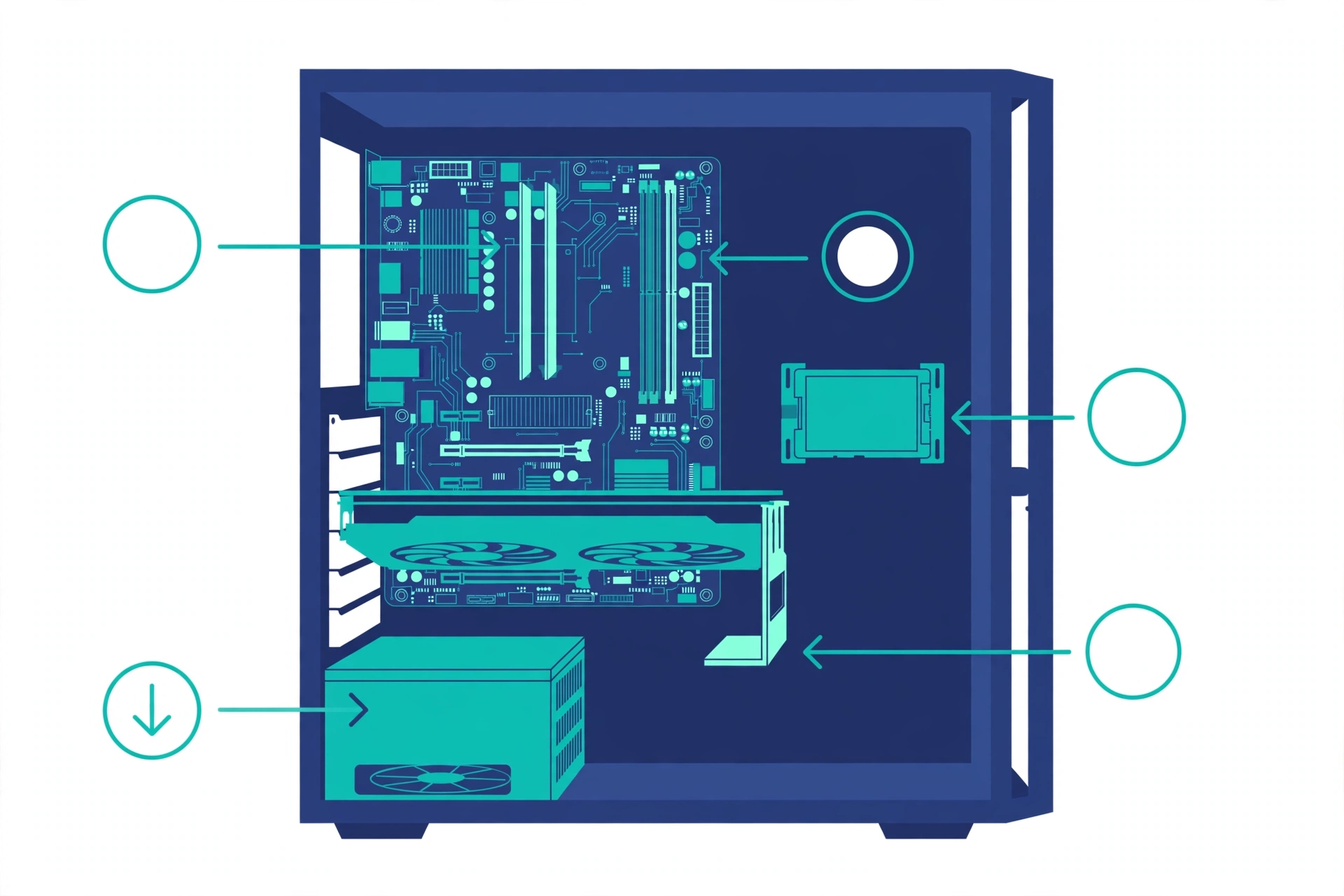
What this means: check for standard ATX parts rather than proprietary motherboards and PSUs — the upgrade path is “good on standard ATX builds, poor on proprietary ones” (retailcoupons.com, October 2026). Current prebuilts commonly use standard ATX or micro-ATX boards rather than proprietary designs (newegg.com, September 2026), but confirm before you assume. And strip the bloatware on day one — it’s free performance.
Costco and Retail Prebuilts: Are They Worth It?
The same five checks apply at Costco and Best Buy — a retail prebuilt can hide a single-stick RAM config or a weak PSU just as easily. Where Costco genuinely differs is returns: a generous, no-questions return policy changes the risk profile of buying sight unseen. On pricing, store shelves usually sell at MSRP while integrators run sales that can beat retail — compare the shelf price against the same machine direct from the builder before assuming the store price is the deal.
For a curated starting point, our best prebuilt gaming PC guide covers which machines are worth the money right now — and if your budget is tight, our gaming PC under $800 guide shows what realistic machines exist at that price.
First-Timer’s Parts Compatibility Checklist
If you decide to build, most first builds fail on small compatibility details rather than the big part choices. This checklist comes from tech-insider.org’s 2026 PC build guide (October 2026) — run through it before you order:
- Buy RAM speed your motherboard’s QVL supports. A DDR5-7200 kit on a board topped at 6400 will need manual tuning.
- Breadboard test first. POST the core components outside the case before full assembly — finding a dead part on the bench beats finding it after cable management.
- Size the PSU for transient spikes, not average draw. Modern GPUs can spike far above rated draw for milliseconds; that’s what shuts machines down.
- CPU orientation: one correct way. AM5 and LGA1851 sockets have a single correct orientation — forcing the chip bends pins.
- Support bracket for heavy GPUs. Triple-fan cards sag over months and stress the PCIe slot; a cheap bracket fixes it.
- Driver order matters. Install the chipset driver before the GPU driver.
- Enable XMP/EXPO in BIOS. DDR5 runs at slow JEDEC defaults until you turn the profile on — skip this and you leave real performance on the table.
- Cool a PCIe 5.0 SSD. These drives throttle under sustained writes without a heatsink or airflow.
How to Read Benchmark-Channel Build Guides
YouTube benchmark channels publish build guides with full parts lists, and they’re useful — if you read them correctly. Their lists assume current street prices and in-stock status at publish time. A guide from March is stale in October 2026: memory prices alone have moved enough to change every recommendation. Treat every parts list as a template — the right balance of CPU, GPU and RAM for the budget — then re-price every part yourself. Check the video’s date; if it’s months old, use its logic, not its prices.
Frequently Asked Questions
Is it cheaper to build or buy a gaming PC in 2026?
It depends on your budget tier. In the roughly $1,000–$2,000 range, buying a prebuilt is frequently cheaper because system builders locked in memory and storage contracts before prices spiked (gamerstechguide.com, September 2026). At $800–$1,200, building can still save $100–$200 (blcomputers.com, May 2026). Re-price both routes for your exact budget — never assume.
Are prebuilt gaming PCs reliable?
Modern prebuilts are broadly comparable to self-builds — failures cluster at the start (dead-on-arrival units) and after several years (gamerstechguide.com, September 2026). The bigger risk is cost-cutting on the power supply, drive class, and memory configuration. A prebuilt gives you one warranty and one support line; a self-build gives you longer individual part warranties, but you handle every RMA yourself (newegg.com, September 2026).
Should I buy now or wait for component prices to drop?
If you need the machine within the next year, buy now — no forecast shows RAM or SSD relief before late 2027 (TrendForce, Gartner, via capitalandcompute.net, October 2026), and wccftech (2026) reports the shortage could run into the end of 2027. Waiting is only rational if you genuinely don’t need the PC yet.
Is 8GB of VRAM enough for gaming in 2026?
Acceptable at 1080p, increasingly tight at 1440p — so don’t pay 1440p-tier money for an 8GB card (retailcoupons.com, October 2026). VRAM doesn’t make the GPU faster, but running out of it causes stutter. Buying for the next 3–4 years? More VRAM is the safer bet.
The Bottom Line
For most new buyers in 2026, a well-chosen prebuilt is the sensible answer: you sidestep the retail memory tax, get a tested machine with a single warranty, and can often pay less than the parts would cost you. Build when you want specific parts no prebuilt offers, when you plan to upgrade over generations, or when the build itself is part of the fun. Either way, check the spec traps, check current prices — and first-timers, let your second machine be the one you build.
Next step: compare machines in our best prebuilt gaming PC guide, or see what’s realistic on a tight budget with our gaming PC under $800 picks.