Best UPS for Gaming PC in 2026 (Top Picks)
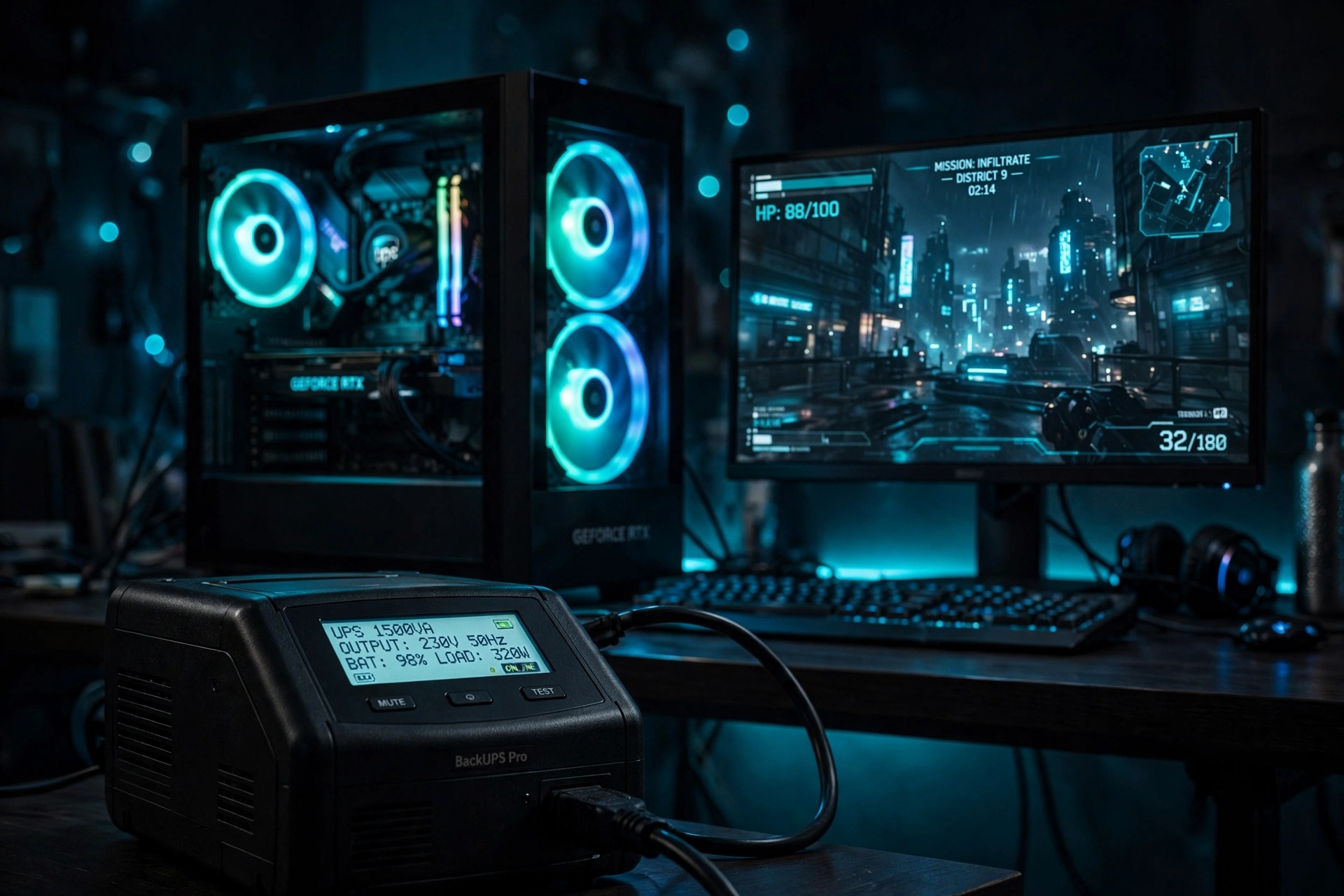
A 1500VA pure sine wave UPS is the right pick for most gaming PCs in 2026. It handles a typical mid-range rig (PC + monitor + router, around 500–600W) with headroom to spare, plays nice with modern active PFC power supplies, and gives you roughly 8–15 minutes of runtime — enough to save your game and shut down safely. Skip anything under 1000VA unless your PC is a low-power box.
📢 Key Takeaways
- A UPS does three things a surge protector can’t: it keeps your PC running through short outages, regulates wobbly voltage (AVR), and gives you a clean, controlled shutdown instead of a hard crash.
- Modern gaming PSUs almost all use active PFC — pair them with a pure sine wave UPS. Simulated/stepped sine wave units can cause active PFC PSUs to shut off or refuse to switch over during an outage.
- Sizing is simple math: add up your PC’s actual draw (not the PSU’s label) + monitor + router, then pick a UPS rated for at least 20–30% more watts. For most gaming rigs, that means 1500VA / 900–1000W.
- Expect minutes, not hours, of runtime: around 10 minutes at full gaming load is normal for a 1500VA unit. A UPS is a save-and-shutdown tool, not a keep-gaming-through-the-blackout tool.
- Prices below are approximate US street prices as of October 2026 — check current prices before buying, as UPS prices move with sales.
What Does a UPS Actually Do for a Gaming PC?
An uninterruptible power supply is a box that sits between your wall outlet and your PC. It has a battery inside. When the power flickers, dips (a brownout), or cuts out entirely, the UPS keeps feeding your PC from its battery long enough for you to save your work — or your game — and shut down properly.
Three things matter for gaming:
- Battery backup. The headline feature. Outage hits, your screen stays on, your PC stays on. You get minutes to react instead of an instant hard shutdown.
- Automatic voltage regulation (AVR). Wall power is rarely a clean 120V all day — it sags and spikes. AVR corrects small sags without draining the battery. If you live somewhere with unreliable power, this matters more than the battery itself.
- Surge protection. Every UPS in this roundup includes it, but it doesn’t replace the thinking in our surge protector guide — read that if you only need spike protection and outages are rare where you live.
What this means: choose a UPS when outages, brownouts, or flickering power are part of your life. Choose a surge protector when spikes are your only worry. Many gamers end up with both — a UPS for the PC and monitor, a surge strip for everything else.
How we chose: every spec below comes from the manufacturer’s published specifications (or a reputable spec-table mirror where the manufacturer’s own page wasn’t retrievable). We didn’t physically test these units — picks are based on verified specs matched to what a gaming PC actually needs.
The Best UPS for Gaming PC at a Glance
| Pick | Capacity | Waveform | Battery outlets | AVR | ~Price* |
|---|---|---|---|---|---|
| CyberPower CP1500PFCLCD — best overall | 1500VA / 1000W | Pure sine wave | 6 of 12 | Yes | $220–250 |
| APC BR1500MS2 — best premium | 1500VA / 900W | Pure sine wave | 6 of 10 | Yes | $300–340 |
| APC BGM1500B — best for battlestations | 1500VA / 900W | Pure sine wave | 6 of 10 | Yes | $330–370 |
| CyberPower CP1000PFCLCD — best compact | 1000VA / 600W | Pure sine wave | 5 of 10 | Yes | $180–250 |
| Tripp Lite SMART1500PSGLCD — best display/features | 1500VA / 900W | Pure sine wave | 5 of 10 | Yes | $400–450 |
| CyberPower CP600LCD — best budget | 600VA / 340W | Simulated sine wave ⚠️ | 4 of 8 | No | $75–100 |
*Approximate US street prices, October 2026 — check current prices before buying.
What this means: the two numbers that narrow the field fastest are watts (must exceed your total load) and waveform (pure sine wave for any modern gaming PSU). Everything else — outlet count, LCD, price — is preference.
Our Top Picks, Explained
1. Best Overall: CyberPower CP1500PFCLCD
The workhorse pick, and the one most gaming-PC roundups land on. 1500VA / 1000W of pure sine wave power with automatic voltage regulation, a multifunction LCD, and 12 outlets (6 battery + surge, 6 surge-only). Per CyberPower’s specs, it delivers about 10 minutes of runtime at half load and 2.5 minutes at full load, and the battery is user-replaceable. The 1000W ceiling (vs 900W on most 1500VA rivals) gives a high-end GPU more breathing room.
Who it’s for: most gaming PCs. If you just want the safe default answer, this is it. Watch out for: it’s a big, heavy box — measure your desk space.
2. Best Premium: APC Back-UPS Pro BR1500MS2
APC’s premium 1500VA / 900W unit: pure sine wave, line-interactive AVR, multifunction LCD status console, 10 outlets (6 battery + surge, 4 surge-only) plus two USB charging ports, and a user-replaceable battery (APCRBC163). Per APC’s published specs, runtime is roughly 4 minutes at full load and 12–14.5 minutes at half load — noticeably longer than the CyberPower at typical gaming loads.
Who it’s for: anyone protecting an expensive build who wants the premium brand, the longer runtime, and USB charging on the front. Watch out for: the price premium buys polish, not more watts — capacity is 900W, not 1000W.
3. Best for Battlestations: APC Back-UPS Pro Gaming BGM1500B
Same 1500VA / 900W pure-sine-wave heart as the BR1500MS2 (same APCRBC163 replaceable battery, ~4 minutes full load / ~14.5 minutes half load per APC’s specs), dressed for a gaming desk: a tilted “reactor” LCD display and RGB accent lighting. 10 outlets (6 battery + surge, 4 surge-only), AVR, USB-A + USB-C charging.
Who it’s for: gamers who want the UPS to look like part of the setup rather than office equipment. Watch out for: you’re paying extra over the standard BR1500MS2 purely for the gaming styling.
4. Best Compact: CyberPower CP1000PFCLCD
The smaller sibling of the top pick: 1000VA / 600W, still pure sine wave with AVR and an LCD, 10 outlets (5 battery + surge, 5 surge-only), user-replaceable battery. Per CyberPower’s specs: ~6–9 minutes at half load, 2–3 minutes at full load.
Who it’s for: efficient builds — an RTX 4060-class PC plus a monitor typically draws under 450W, which fits the 600W ceiling with headroom. Watch out for: do the sizing math honestly. If your total load is over ~480W, step up to a 1500VA unit.
5. Best Display and Features: Tripp Lite SMART1500PSGLCD
Eaton/Tripp Lite’s premium 1500VA / 900W pure sine wave unit. Standout feature: a detachable multifunction LCD you can mount where you can actually see it, plus a hot-swappable battery. 10 outlets (5 battery + surge, 5 surge-only), AVR. Per Tripp Lite’s specs: 10 minutes at half load, 3 minutes at full load.
Who it’s for: tinkerers who like monitoring and easy battery swaps. Watch out for: it’s the priciest pick here — the extras are nice, not necessary.
6. Best Budget: CyberPower CP600LCD
The honest budget option, with an honest caveat: 600VA / 340W, simulated sine wave, and no AVR (standby topology). 8 outlets (4 battery + surge, 4 surge-only), LCD, user-replaceable battery. Per CyberPower’s specs: ~13 minutes at half load, 2 minutes at full load.
Who it’s for: low-power setups only — a basic office PC, a router/modem station, or a very light gaming box drawing well under 340W total. Watch out for: because of the simulated sine wave, don’t pair it with a modern active PFC gaming PSU — it can fail to switch over or crash the PSU during an outage. This is the one pick where the sine-wave warning in this guide applies directly.
How to Size a UPS for Your Gaming PC
Sizing sounds technical. It isn’t. UPS capacity comes in two numbers: VA (volt-amps) and watts. The watts number is the one that matters for your PC — it’s the maximum power the UPS can deliver. A “1500VA / 1000W” UPS can handle up to 1000 watts of real load.
Here’s the two-minute sizing method:
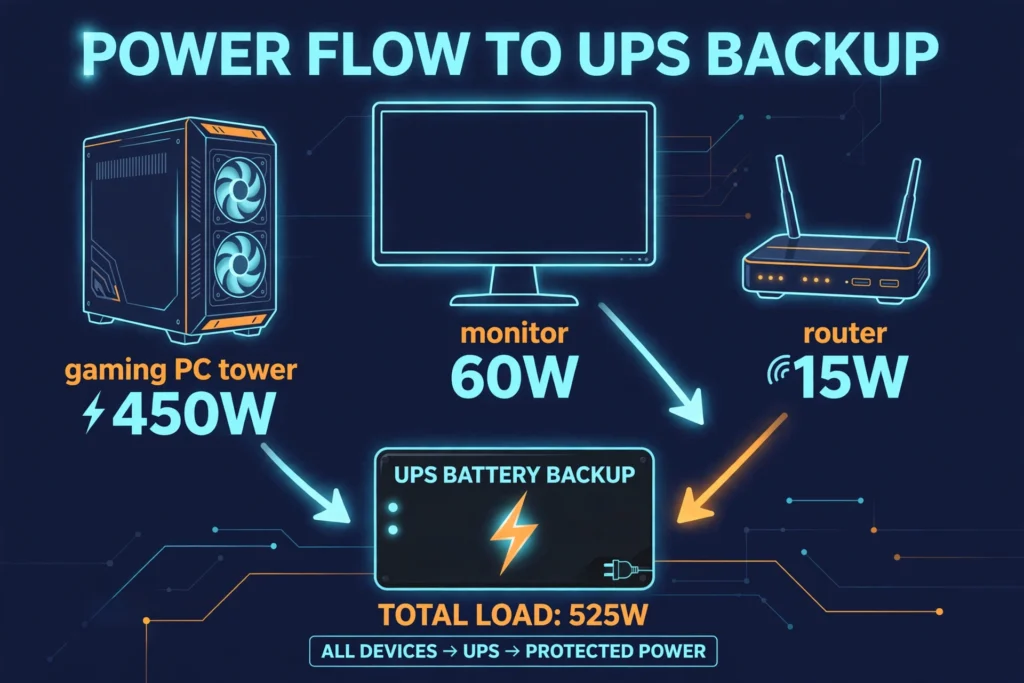
- Add up what you’ll plug in. Not your PSU’s label — your actual draw. A gaming PC with an RTX 4070-class GPU typically pulls 350–450W under load; add 50–100W for a 27-inch monitor and ~15W for a router. Check your exact numbers with an inexpensive kill-a-watt meter or a reputable PSU calculator if you want precision.
- Add 20–30% headroom. Running a UPS at 100% load is fine briefly, but for everyday use you want margin — batteries degrade over 3–5 years and lose capacity, so headroom buys you a longer useful life.
- Match it to the watt rating, not just VA. Two “1500VA” units can differ: a 1500VA/900W unit and a 1500VA/1000W unit have different ceilings. Always check the watts.
Worked example: PC drawing 450W + monitor at 60W + router at 15W = 525W. Add 25% headroom → ~660W minimum. A 1500VA/900W UPS covers this comfortably; a 1000VA/600W unit would be too tight.
What this means: for a typical gaming PC with one monitor, buy 1500VA / 900W or higher. For a high-end rig (RTX 5080/5090-class GPU pulling 600W+ on its own), treat 1500VA as the minimum and look toward 2200VA if you also want longer runtime.
Pure Sine Wave vs Simulated Sine Wave (Why It Matters)
When a UPS switches to battery, it converts battery DC power back to AC. Pure sine wave models produce a smooth waveform like the grid; simulated (stepped) sine wave models produce a rougher, blocky waveform.
Here’s why gamers should care: nearly all modern gaming PC power supplies use active PFC (power factor correction). Multiple PSU manufacturers and UPS makers have documented that active PFC supplies can shut down, refuse to transfer, or run hot on simulated sine wave output during an outage — the PSU misreads the stepped waveform as bad power. CyberPower and APC both specifically recommend pure sine wave UPS units for active PFC power supplies.
What this means: in 2026, default to pure sine wave — the price gap has shrunk enough that simulated-sine models only make sense for non-PC gear or very tight budgets. Five of the six picks below are pure sine wave; the one budget pick that isn’t is flagged clearly with its limits.
How Much Runtime Will You Actually Get?
Set expectations here: a consumer UPS buys you minutes, not hours. Runtime depends on two things — the battery size and how much power you’re drawing. Roughly: a 1500VA unit with a 500W load gives you about 10 minutes; cut the load in half and you get meaningfully more than double, because lead-acid batteries discharge more efficiently at lower draws.
The right way to think about it: a UPS is a save-and-shutdown tool. When the outage alarm beeps, you save your game, close your apps, and shut down. If you need to keep gaming through a long outage, you’d need a portable power station or a generator — a different product entirely.
What this means: don’t buy a bigger UPS for “more gaming time.” Buy the right size for your load, plug only the essentials (PC + main monitor + router) into the battery outlets, and let everything else ride on surge-only outlets.
What to Plug Into Which Outlet
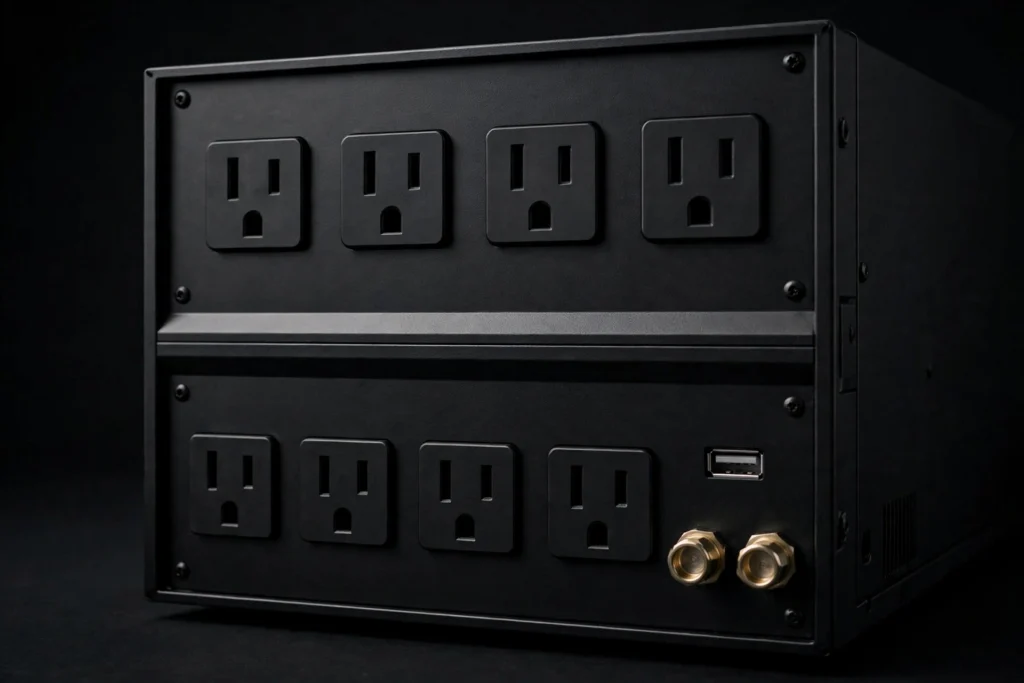
Almost every UPS has two kinds of outlets on the back: battery backup + surge and surge-only. What you plug into each one matters:
- Battery outlets: your PC, your main monitor, and your router/modem. These are the three things that must stay alive during an outage — the PC so you can shut down safely, the monitor so you can see what you’re doing, the router so you stay connected and your cloud saves sync.
- Surge-only outlets: everything else — speakers, desk lighting, phone chargers, printers. Plugging these into battery outlets just drains the battery faster for zero benefit.
What this means: a UPS with 6 battery outlets sounds generous until you count: PC, monitor, router is already three. Leave the rest on surge-only. That’s how you get the runtime numbers manufacturers publish — those assume a sensible load, not a whole battlestation.
Frequently Asked Questions
Do I really need a UPS for a gaming PC, or is a surge protector enough?
A surge protector only handles voltage spikes. It does nothing during outages or brownouts — and a hard shutdown mid-game can corrupt files, damage drives, and occasionally harm hardware. If your area has reliable power and you mainly worry about lightning or spikes, a good surge protector is enough. If outages, flickers, or brownouts are common, a UPS earns its price.
What size UPS do I need for a gaming PC?
For a typical gaming PC with one monitor, a 1500VA / 900–1000W unit is the sweet spot. Add up your PC’s real power draw (not the PSU label) plus your monitor and router, then pick a UPS with 20–30% more wattage than that total. Most mid-range gaming setups land around 500–600W, so 1500VA units cover them comfortably.
Can a UPS damage my PC’s power supply?
A pure sine wave UPS won’t — it produces clean power your PSU is happy with. A simulated/stepped sine wave UPS can cause problems with modern active PFC power supplies: unexpected shutdowns or failure to switch to battery during an outage. That’s why five of the six picks in this guide are pure sine wave — the one budget exception is flagged clearly above.
How long do UPS batteries last?
The sealed lead-acid batteries in consumer UPS units typically last 3–5 years before capacity drops noticeably. Most units in this guide have user-replaceable batteries, so a $40–60 replacement battery extends the unit’s life far beyond the original cell. If your UPS starts giving much shorter runtimes than when it was new, the battery — not the unit — is usually the culprit.
Final Takeaway
For most gaming PCs, buy a 1500VA pure sine wave UPS with AVR — it’s the size that actually covers a real gaming setup without waste. Plug your PC, monitor, and router into the battery outlets, everything else into surge-only, and expect around 10 minutes of runtime: enough to save your game and shut down cleanly.
If you’re still putting together your setup, read our prebuilt gaming PC guide first — knowing your system’s real power draw makes sizing your UPS a two-minute job. And if outages are rare where you live but spikes worry you, our surge protector roundup covers the cheaper, spike-only option.