Is Starlink Good for Gaming? (Latency, Speed & Real Results)
If fiber does not reach your house and cable is not an option, you have probably wondered: is Starlink good for gaming, or is it just another satellite disappointment?
The short answer is yes, with conditions. Starlink is not fiber. It is not cable. But it is genuinely playable for most gamers, and for anyone previously stuck on HughesNet or Viasat with 600 ms ping, it feels like a completely different world.
This guide gives you the actual numbers, the game-by-game breakdown, and the honest limits so you can decide before spending a dollar.
What Makes Starlink Different From the Old Satellite Internet?
Traditional geostationary satellites sit 36,000 km above Earth. Data has to travel that distance twice every time your game sends a packet. The result: 600 to 800 ms ping, which makes real-time gaming completely unplayable.
Starlink uses low Earth orbit satellites at roughly 550 km altitude. The result is Starlink gaming latency that sits in the 20 to 60 ms range under normal conditions, which is a completely different category of connection.
SpaceX has now launched over 6,000 satellites. By April 2026, peak-hour median latency in the US dropped to approximately 33 ms, down from 48.5 ms in previous years. CableTV.com’s 2026 measurement puts the median at 25.7 ms. Earth SIMs’ independent study of 500 tests in March 2026 confirmed a 20 to 50 ms average under normal conditions.
Starlink vs Other Connection Types for Gaming
| Connection Type | Average Ping | Best Case | Worst Case |
|---|---|---|---|
| Fiber | 5 to 15 ms | Under 5 ms | 20 ms |
| Cable | 15 to 30 ms | 10 ms | 50 ms |
| Starlink (wired, off-peak) | 20 to 40 ms | 20 ms | 80 ms |
| Starlink (Wi-Fi, peak hours) | 40 to 80 ms | 30 ms | 120 ms |
| DSL | 25 to 60 ms | 20 ms | 100 ms |
| HughesNet / Viasat (GEO satellite) | 600 to 800 ms | 500 ms | 1000 ms |
Is Starlink Good for Gaming? The Direct Answer
Yes, is Starlink good for gaming for most people in most situations. Based on real user data from r/Starlink, independent testing, and SpaceX’s own published performance reports, here is what you can realistically expect.
Download speed: 65 to 200 Mbps on the Residential plan. More than enough for any game download, update, or cloud save sync.
Upload speed: 10 to 15 Mbps. This sits right at the edge of a good upload speed for gaming, sufficient for normal play and voice chat but tight for casual streaming.
Ping (off-peak): 20 to 40 ms wired. This is the number that matters most for gaming, and it is genuinely good.
Ping (peak hours, 7 to 10 PM): 40 to 80 ms, sometimes climbing to 100 to 120 ms during congestion. This is where Starlink shows its limits.
Jitter: Usually under 10 ms in good conditions. Rises during satellite handoffs and peak congestion.
Packet loss: Rare under normal conditions. Brief spikes of 1 to 5% can occur during satellite handoffs, which happen every 15 to 20 seconds but are usually seamless.
Starlink Gaming Latency by Game Genre
Not all games respond to latency the same way. Starlink gaming latency at 20 to 60 ms is fine for some genres and a real disadvantage in others.
Works great on Starlink:
MMOs like World of Warcraft and Final Fantasy XIV are designed with global cooldown timers and server-side queuing that naturally absorbs moderate latency. Raid content, PvE, and casual PvP all run smoothly. Starlink is an excellent choice for MMO players.
Strategy games like StarCraft II, Age of Empires IV, and Civilization are built with latency tolerance in mind. These games function perfectly at Starlink latency levels.
Casual multiplayer titles including Minecraft, Among Us, and Stardew Valley multiplayer have no issues at all on Starlink.
Battle royale casual modes in Fortnite, Apex Legends, and PUBG are playable. Real wired test results show Fortnite at 22 to 40 ms, with smooth netcode that handles brief spikes gracefully.
Works with some limitations:
Sports games like FIFA and NBA 2K online are playable. Input delay on shots and passes is occasionally noticeable but not game-breaking for casual players.
Rocket League runs at 30 to 50 ms average, which is good. However, its physics engine is sensitive to jitter, and satellite handoff spikes can cause the ball or your car to warp briefly. This is fine through Diamond rank. At Champion level and above, the inconsistency becomes a real competitive issue.
Call of Duty at 20 to 40 ms wired actually performs well. CoD’s SBMM system pairs players by connection quality, so Starlink users often match against other players in similar latency ranges rather than facing disadvantage.
Struggles on Starlink:
Competitive FPS at the highest ranks: CS2, Valorant ranked, and Apex Legends ranked all work at average Starlink latency, but the occasional 100 to 200 ms spike during satellite handoffs causes deaths that feel unfair. These spikes are rare, but at the top of the competitive ladder, rare is often enough.
Cloud gaming services including Xbox Cloud Gaming, NVIDIA GeForce NOW, and Amazon Luna add 15 to 30 ms of server-side latency on top of your Starlink ping. Combined total input lag can reach 50 to 100 ms, which is noticeable on action titles. Single-player and RPG cloud gaming is fine. Competitive cloud gaming is not recommended.
Also Read: What Is a Good Upload Speed for Gaming? (Numbers + Tips)
Starlink Gaming Performance by Genre
| Game Type | Typical Ping | Verdict |
|---|---|---|
| MMO (WoW, FFXIV) | 35 to 60 ms | Excellent |
| Strategy (StarCraft, AoE) | 35 to 60 ms | Excellent |
| Casual multiplayer | 25 to 50 ms | Excellent |
| Battle royale casual | 25 to 50 ms | Good |
| Sports games online | 30 to 60 ms | Good |
| Rocket League | 30 to 50 ms | Good (spikes at high rank) |
| Call of Duty | 20 to 40 ms wired | Good |
| Valorant / CS2 ranked | 35 to 60 ms | Playable, spikes are a risk |
| Fighting games | 25 to 60 ms | Mixed |
| Cloud gaming (competitive) | 50 to 100 ms total | Not recommended |
What Causes Starlink Lag Spikes?
Understanding Starlink gaming latency spikes helps you fix them or at least predict when they will happen.
Satellite handoffs are the main technical cause. As satellites orbit overhead, your dish briefly switches from one to another. Most handoffs are seamless. Occasionally one causes a 100 to 200 ms spike lasting 1 to 3 frames. SpaceX’s network software has reduced these significantly, but they cannot be eliminated entirely by the user.
Dish obstructions are the most fixable cause. Even a single tree branch crossing the signal path causes packet loss spikes every 15 to 20 seconds like clockwork. The Starlink app includes an obstruction checker that maps your sky view. Clear line of sight is the single most impactful fix available.
Peak hour congestion affects everyone in the same Starlink coverage cell. Between 7 and 10 PM local time, shared satellite capacity drives latency up. Morning sessions average 22 ms while evening sessions average 50 ms on the same connection. If you have schedule flexibility, gaming before 6 PM consistently delivers better performance.
Wi-Fi from the Starlink router adds 5 to 15 ms latency on top of everything else. The built-in router is not optimized for gaming.
How to Get the Best Gaming Performance on Starlink
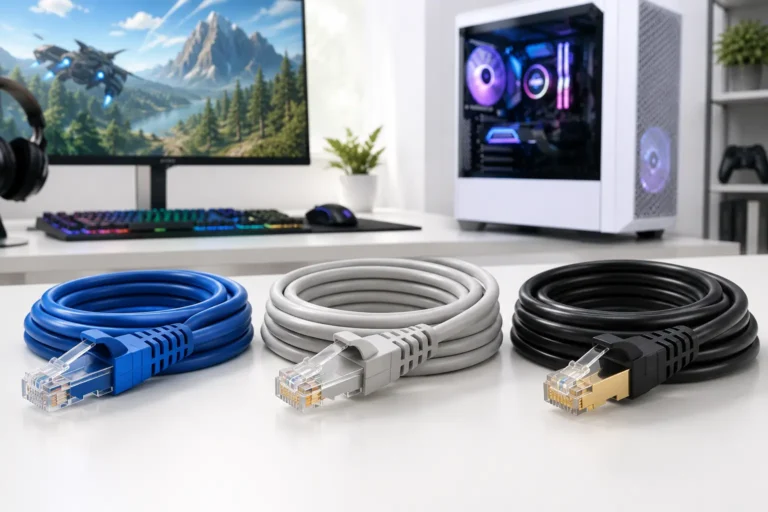
1. Use a wired Ethernet connection This is the highest-impact change available. Connect a third-party router via the Starlink Ethernet adapter, enable bypass mode in the Starlink app under Settings, then run a Cat6 cable directly from the router to your console or PC. Real testing shows this removes 5 to 20 ms of Wi-Fi overhead and significantly reduces jitter.
2. Enable bypass mode Bypass mode in the Starlink app removes the built-in router from the network path, letting your own router handle traffic with better control over QoS settings and port forwarding.
3. Set up QoS on your router Quality of Service prioritizes your gaming device’s traffic above background uploads, software updates, and streaming on other devices. Even a modest router with QoS can cut perceived gaming latency by 10 to 15 ms during household activity.
4. Fix any dish obstructions first Before buying any hardware, use the Starlink app obstruction test. A clear sky view solves more gaming problems than any router upgrade.
5. Consider the Priority plan for competitive gaming Starlink’s Priority plan reduces congestion impact during peak hours and delivers lower jitter. The median ping on Priority is roughly half that of Residential during evening congestion. For players who game heavily during peak hours and have no alternative connection, it is the most direct fix available.
Setup Optimizations and Their Impact
| Fix | Estimated Ping Improvement | Cost |
|---|---|---|
| Wired Ethernet over built-in Wi-Fi | 5 to 20 ms | Low (cable + adapter) |
| Bypass mode enabled | 2 to 8 ms | Free |
| QoS on a third-party router | 10 to 15 ms during load | Cost of router |
| Clearing dish obstructions | Variable, often significant | Free |
| Upgrading to Priority plan | 15 to 30 ms at peak hours | Higher monthly cost |
Frequently Asked Questions
Conclusion
Is Starlink good for gaming? Yes, for the majority of players and most game types. Starlink internet for gaming is a real broadband connection, not a legacy satellite workaround. For rural gamers who previously had no viable option, it is genuinely transformational.
Its limits are real too. It is not fiber. Competitive FPS players at the highest ranks will feel occasional spikes. Cloud gaming on Starlink is hit or miss for fast-paced titles. And peak-hour congestion is a predictable pattern that affects everyone on the residential plan.
For casual gamers, MMO players, and anyone in a rural area without fiber or cable access: Starlink is more than good enough. Set it up correctly, use Ethernet, and you will rarely think about the connection during a session.