Best Storage for Gaming PC (SSD Guide 2026)
The best storage for gaming PC builds in 2026 is a 2TB PCIe 4.0 NVMe SSD. It loads games in seconds, holds a healthy library of modern AAA titles, and works with almost every current motherboard — all without the price premium of PCIe 5.0, which barely changes game load times in real-world testing. In this guide, you will learn how NVMe and SATA differ, whether Gen 5 is worth it for gaming, how much space games really need in 2026, what DRAM cache and HMB mean, and what to check before you buy.
Key Takeaways
- 2TB PCIe 4.0 NVMe is the sweet spot for most gaming PCs in 2026 — fast, roomy, and reasonably priced.
- Any SSD beats any hard drive for gaming. The jump from HDD to SATA SSD is huge; the jump from SATA to NVMe is smaller but still worth it for new builds.
- Gen 3 vs Gen 4 vs Gen 5 barely changes game load times. Testing by TechSpot across 15 games found it “generally does not matter” which PCIe generation you use.
- Modern games are big: Call of Duty: Black Ops 7 lists 116 GB of SSD space in its official PC requirements (per Activision, via GameSpot), so 1TB fills up fast.
- DRAM cache is nice, not essential for gaming. Budget DRAM-less drives that use HMB still load games quickly.
NVMe vs SATA: What’s the Difference?
Both are SSDs, and both are dramatically faster than a mechanical hard drive. The difference is how they connect to your PC.
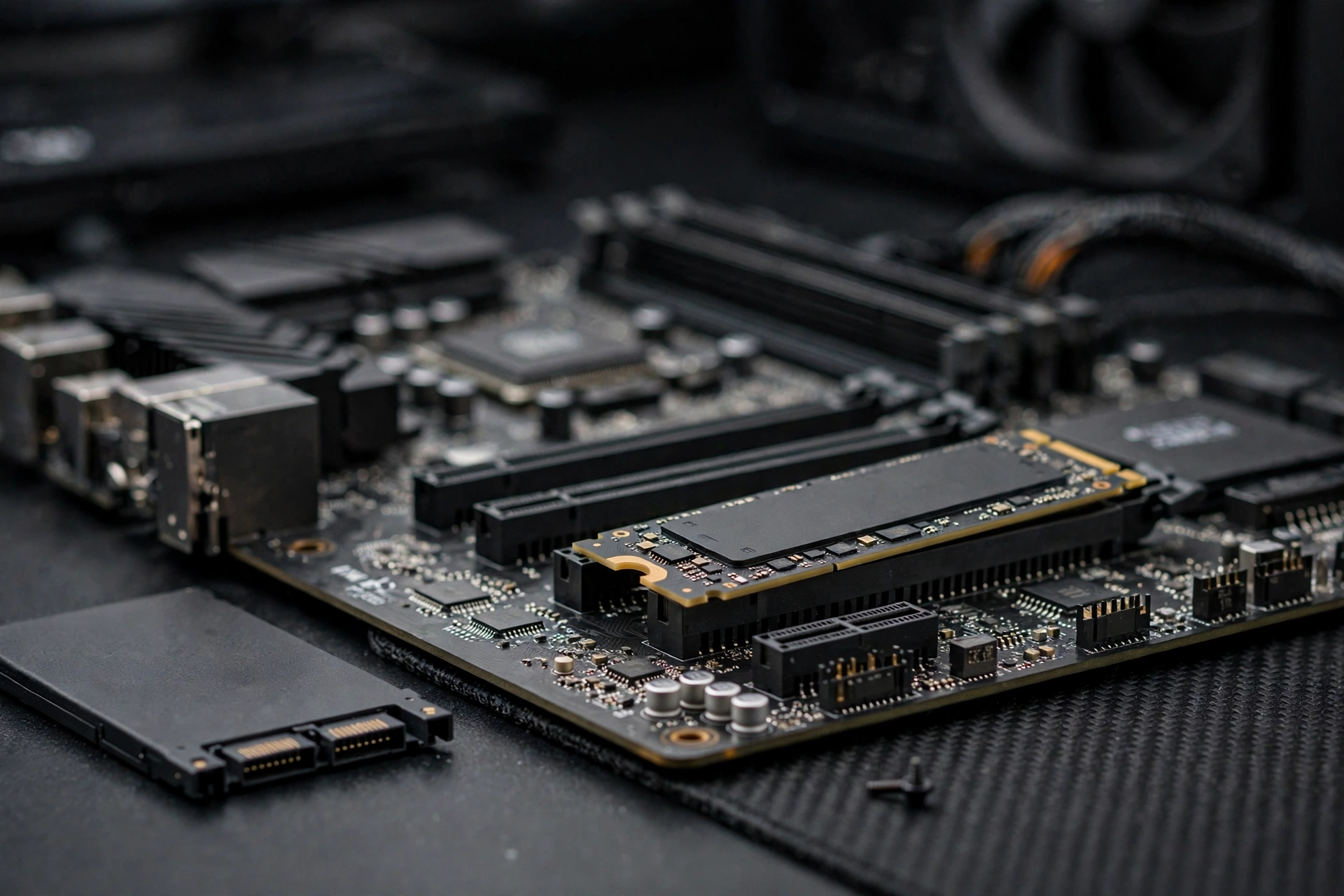
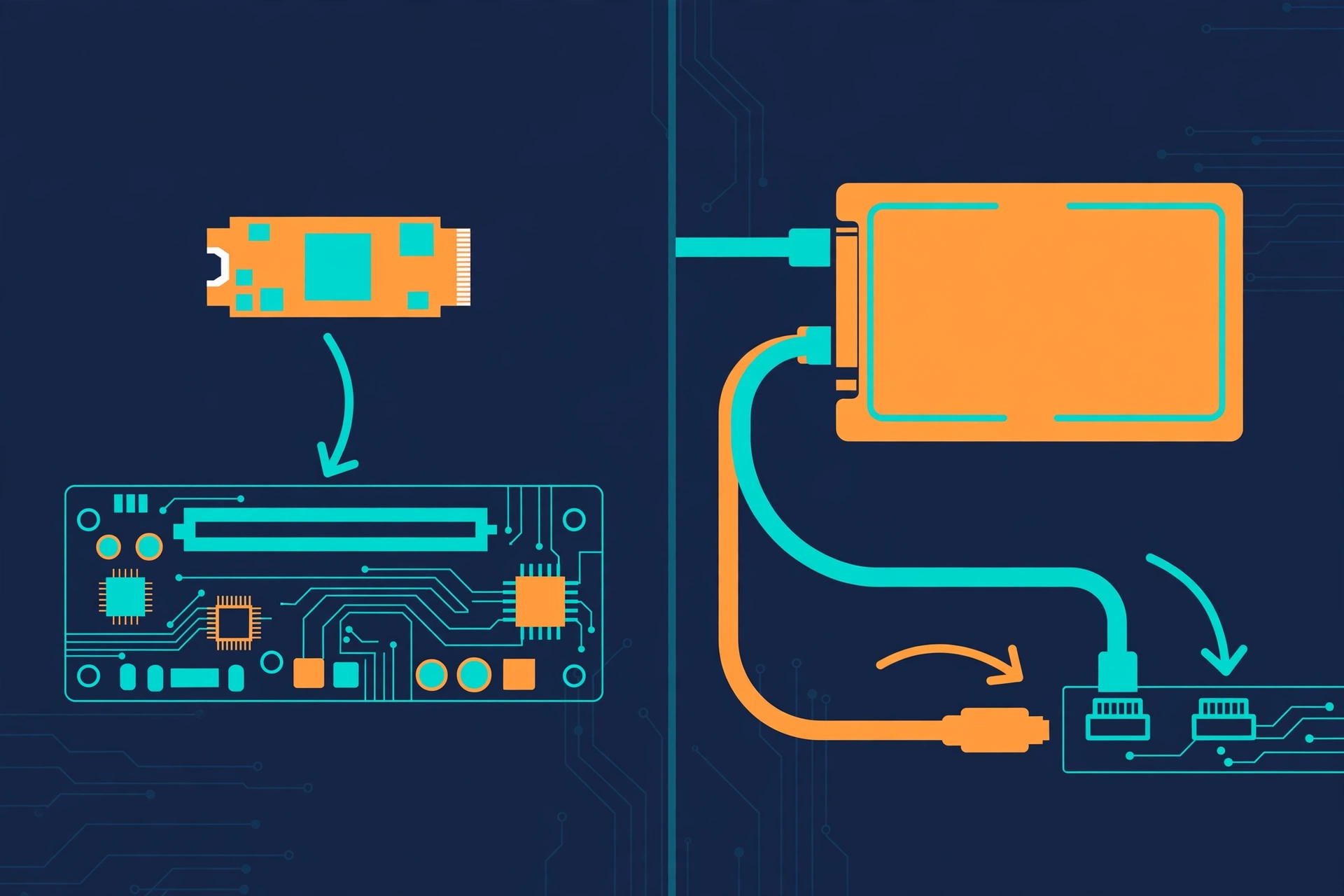
SATA SSDs use the same interface as old hard drives: a 2.5-inch drive that connects with two cables (data and power). The SATA interface tops out at about 6 Gb/s, which in practice means around 550 MB/s — the Samsung 870 EVO, for example, is rated by Samsung at up to 560 MB/s read and 530 MB/s write.
NVMe SSDs are slim M.2 sticks that plug directly into a slot on the motherboard and talk to the CPU over PCIe lanes — the same fast highway your graphics card uses. That removes the SATA bottleneck entirely: a PCIe 4.0 drive like the Samsung 990 Pro is rated at up to 7,450 MB/s read (per Tom’s Hardware’s review of Samsung’s specifications), more than 13 times the speed of a SATA SSD.
What this means in practice: NVMe drives install and copy games noticeably faster, and they need no cables, which makes building tidier. For actual in-game load times, both feel quick and NVMe is a bit quicker
— but the life-changing jump is from a hard drive to any SSD. Buying or upgrading a new PC? Choose NVMe. Reviving an older PC with no M.2 slot? A SATA SSD is still a massive upgrade over a hard drive.
Gen 3 vs Gen 4 vs Gen 5: Do Faster Generations Help Gaming?
This is where marketing and reality split. SSD boxes shout about 14,000 MB/s, so it is natural to assume a Gen 5 drive loads games twice as fast as a Gen 4 one. It does not — not even close. Here is what independent testing actually found:
- TechSpot tested PCIe 3.0, 4.0, and 5.0 SSDs (plus SATA and HDD) across 15 games on a Ryzen 7 9800X3D with an RTX 5090. Their verdict: “it generally does not matter whether it is PCIe 3.0, 4.0, or 5.0” for gaming. Moving from a PCIe 3.0 drive to a PCIe 5.0 drive cut Black Myth: Wukong’s load time by only 10%; Starfield differed by less than one second; Cyberpunk 2077 and Red Dead Redemption 2 showed no difference at all. The biggest gap they found was Kingdom Come: Deliverance II, where the fastest Gen 5 drive loaded about 15% faster — roughly five seconds saved.
- PCWorld, citing testing by The Verge, reported a Gen 5 SSD loaded CS:GO less than a millisecond faster than a Gen 4 drive, and Cyberpunk 2077 only about one second faster.
- Tom’s Hardware reported on Compusemble’s DirectStorage benchmark in Forspoken: across seven scenes, a Gen 5 SSD finished only three seconds faster in total than a PCIe Gen 3 drive — a difference the site called “unnoticeable.”
Why so little difference? Game loading is rarely limited by raw sequential speed — the big number on the box. It is limited by how fast the game engine can request, decompress, and process thousands of small files, plus CPU and GPU work. Even DirectStorage, the newer technology that lets the GPU pull game data straight from the SSD, only shaves seconds off in current titles.
The practical takeaway: buy the cheapest NVMe generation your motherboard supports well. PCIe 4.0 is the sweet spot in 2026 — mature, cool-running, and affordable. PCIe 3.0 is still perfectly fine on an older board. Only consider Gen 5 if the price gap is tiny, your board has a proper Gen 5 M.2 slot with cooling, or you also do heavy video editing and file work where sequential speed genuinely matters.
How Much Storage Do Games Need in 2026?
Games keep getting bigger, and this is the spec that affects your daily life far more than Gen numbers. Some current examples:
- Call of Duty: Black Ops 7 — Activision’s official PC requirements list 116 GB of SSD space (reported by GameSpot).
- Stalker 2 — roughly 150 GB, a figure TechSpot verified while testing drives.
- Battlefield 6 — about 55 GB for the base multiplayer install (per TheGamer).
Now do the math. A “1TB” drive gives you about 930 GB of usable space. Subtract Windows, your launchers, and a little breathing room, and you are left with roughly 850 GB for games — that is six to eight big AAA titles before you start uninstalling things to make room for the next download.
1TB is the workable minimum for a gaming PC in 2026: Windows plus a handful of games, with regular uninstall juggling. 2TB is the comfortable choice — room for 12 to 20 big games, your recording clips, and future updates without the constant storage anxiety. Only consider 500GB if the PC is strictly for lightweight esports titles and you are on a tight budget.
One more habit worth building: keep roughly 10–15% of the drive free. SSDs slow down and wear faster when they are nearly full, because the controller needs free blocks to manage writes efficiently. If you start with 1TB, check that your motherboard has a second M.2 slot — most do — so you can add another drive later instead of replacing.
DRAM Cache and HMB, Explained Simply
You will see “DRAM cache” on spec sheets, and budget drives advertising “HMB” instead. Here is what those mean, without the jargon.
Think of an SSD as a warehouse. The NAND flash chips are the shelves, the controller is the worker fetching boxes, and the flash translation layer is the master list of where everything is stored. To find anything quickly, the worker wants that list close at hand — not buried somewhere in the warehouse.
DRAM cache is a small, dedicated memory chip on the SSD itself that holds that master list (per SlashGear’s explainer). It is fast, always available, and independent of the rest of your PC. It helps most with sustained writes — installing a 150 GB game, copying large files, or recording gameplay straight to the drive.
HMB (Host Memory Buffer) is an NVMe feature that lets a DRAM-less SSD borrow a small slice of your PC’s system RAM — typically around 64 MB — over the PCIe connection to hold part of that list (per PCWorld). It is cheaper to make, which is why budget drives use it, and it works fine for everyday and burst workloads, though it is not equal to dedicated DRAM under heavy sustained writes.
What this means for gaming: loading a game is overwhelmingly reading data, and even a budget DRAM-less drive with HMB — like the WD Blue SN580 — loads games quickly. DRAM matters more for your main Windows drive and for heavy write workloads. So do not overpay for a DRAM-equipped drive if it is purely a games library drive; but if it is your one and only drive (OS plus games), DRAM is a nice bonus worth having.
What to Look for When Buying an SSD for Gaming
Run through this checklist before you click buy:

1. Form factor and slot. M.2 NVMe if your motherboard has an M.2 slot — nearly every board from the last eight years does. Check your motherboard manual for which PCIe generation each slot supports. No M.2 slot? A 2.5-inch SATA SSD is your upgrade path.
2. Capacity. 2TB is ideal, 1TB is the minimum for a gaming PC in 2026.
3. PCIe generation. Gen 4 is the sweet spot; Gen 3 is fine on older boards; Gen 5 only makes sense with a Gen 5 slot, good cooling, and a small price premium.
4. DRAM or HMB. Prefer DRAM for your OS drive; HMB is perfectly fine for a secondary games-only drive.
5. Endurance and warranty. Look for a 5-year warranty, which is standard on quality drives. An endurance rating around 600 TBW per 1TB is plenty for gaming — you would have to write hundreds of gigabytes every single day for years to wear that out.
6. Cooling. Gen 5 drives run hot — PC Gamer noted toasty temperatures on the Crucial T705 in its review. Many motherboards include their own M.2 heatsinks, so do not buy a drive with a pre-installed heatsink if your board already has one; they can conflict and cause fit problems.
7. Brand and support. Stick with established brands that honor warranties in your country. A cheap no-name drive with inflated speed claims is not worth the risk to your game library.
The Best Storage for Gaming PC Setups: 5 Example Picks for 2026
This is not a ranked list from lab testing — it is a set of well-reviewed drives with verified specifications to show you what “good” looks like at each tier. Match the drive to your motherboard’s slot, your budget, and the capacity you need. All speeds below are manufacturer-rated figures (via Tom’s Hardware, TechPowerUp, PC Gamer, and Samsung), and street prices shift constantly, so check current prices before buying.
| Drive | Interface | Rated Sequential Speeds | Capacities | Cache | Warranty | Good For |
|---|---|---|---|---|---|---|
| Samsung 990 Pro | PCIe 4.0 NVMe | Up to 7,450 MB/s read, 6,900 MB/s write | 1TB / 2TB / 4TB | Dedicated DRAM (LPDDR4) | 5 years | All-round flagship for OS + games |
| WD Black SN850X | PCIe 4.0 NVMe | Up to 7,300 MB/s read | 1TB / 2TB / 4TB | Dedicated DRAM (DDR4) | 5 years | Strong alternative, often priced lower |
| Crucial T705 | PCIe 5.0 NVMe | Up to 14,500 MB/s read, 12,700 MB/s write (2TB) | 1TB / 2TB / 4TB | Dedicated DRAM (LPDDR4) | 5 years | Maximum sequential speed; needs a Gen 5 slot and solid cooling |
| WD Blue SN580 | PCIe 4.0 NVMe | Up to 4,150 MB/s read/write | 250GB / 500GB / 1TB / 2TB | HMB (DRAM-less) | 5 years | Budget-friendly games drive |
| Samsung 870 EVO | SATA 6Gb/s (2.5-inch) | Up to 560 MB/s read, 530 MB/s write | 250GB / 500GB / 1TB / 2TB / 4TB | Dedicated DRAM (LPDDR4) | 5 years | Older PCs with no M.2 slot |
What this means: on paper, the speed gap between the fastest and slowest drive here looks enormous. In actual games, all five sit within seconds of each other on load times — remember TechSpot’s finding that the PCIe generation “generally does not matter” for gaming. So choose in this order: your motherboard’s slot, then your budget, then capacity. A 2TB WD Blue SN580 you never have to think about will make you happier than a 1TB flagship you are constantly pruning to keep free.
FAQs About Storage for Gaming PCs
Is NVMe actually faster than SATA for gaming?
On paper, yes — by a wide margin (7,000+ MB/s versus roughly 560 MB/s). In games, NVMe loads levels a bit faster, but the difference is small compared to the night-and-day jump from a hard drive to any SSD. For a new build, choose NVMe; for an older PC without an M.2 slot, a SATA SSD remains a huge upgrade.
Do I need a PCIe 5.0 SSD for gaming in 2026?
No. Independent testing by TechSpot and The Verge (via PCWorld) shows Gen 5 saves seconds at most over Gen 3 or Gen 4 in real games. Buy a good PCIe 4.0 drive unless the Gen 5 price difference is tiny.
Is 1TB enough for a gaming PC?
It is the workable minimum: Windows plus a handful of big games. But with titles like Call of Duty: Black Ops 7 needing 116 GB per Activision’s official requirements, you will juggle installs regularly. 2TB is the comfortable 2026 choice.
Can I install games on an old hard drive?
You can, but load times suffer badly, and some modern games stutter or stream textures poorly from HDDs. Keep the hard drive for media, recordings, and backups — install your games on an SSD.
Final Takeaway
The best storage for gaming PC builds in 2026 is a 2TB PCIe 4.0 NVMe SSD: fast enough that load times are a non-issue, roomy enough for a real game library, and priced sensibly. Do not pay extra for Gen 5 speeds you will never feel in games, do not stress over DRAM for a pure games drive, and always check your motherboard’s M.2 slots before ordering. Get those three decisions right and the exact model barely matters.
If you are buying a whole system instead of building one, read our guide to the best prebuilt gaming PC to see what kind of storage to expect at each budget. And if you are upgrading an existing rig, our guide on how much is my PC worth can help you decide whether a simple SSD upgrade or a full replacement makes more sense.