What Is Packet Loss in Gaming? (Causes & Fixes)

Packet loss in gaming means some of the data packets traveling between your PC and the game server never arrive. Every action in an online game — moving, shooting, jumping — is sent as small data packets. When some go missing, the game has to guess or wait for replacements, which causes rubber-banding, stuttering, and shots that never register. The good news: packet loss is usually fixable, and a wired connection fixes most cases.
In this guide, we explain what packet loss is, how it differs from high ping, the symptoms to watch for, the most common causes, how to test your connection, and the fixes that actually work — in the order you should try them.
Key Takeaways
- Packet loss = missing data. Packets are tiny chunks of game data; lost ones cause rubber-banding, teleporting players, and delayed hit registration.
- It is different from high ping. Ping is a delay; packet loss is missing information — and even 1–2% packet loss can make a game feel terrible while your ping looks fine (per geeksinsneaks).
- The most common causes are Wi-Fi interference, bad cables, network congestion, and ISP routing issues (per internetspeedtest.net’s 2026 packet-loss guide).
- Test first, fix second. A quick ping test or an in-game network overlay tells you whether packet loss is really your problem before you change anything.
- The fixes in order: wired ethernet, replace damaged cables, restart your modem and router, reduce network congestion, then call your ISP if the loss persists on a wired connection.
What Is Packet Loss?
Think of online gaming like mailing letters. Your PC constantly mails tiny “letters” (data packets) to the game server — your position, your shots, your inputs — and the server mails back the state of the game. Packet loss happens when some of those letters never reach their destination. They are dropped somewhere along the route: on your Wi-Fi, in a bad cable, or at a congested point on your ISP’s network.
When a packet goes missing, one of two things happens. The game may guess what happened during the gap — showing you running forward smoothly — and then snap you back to your real position when the correct data arrives (that’s the classic rubber-band effect). Or it may wait for the missing data to be re-sent, freezing the action for a moment (the stutter or freeze you feel mid-fight). Either way, the experience is the same: the game feels broken even though your internet “works.”
Games rely on UDP (User Datagram Protocol) for most real-time data, which is fast but does not guarantee delivery — unlike the TCP used for file downloads, which re-sends lost pieces automatically. That trade-off is why a download can be flawless on the same connection that drops packets in a match: the download retries silently, but a game can’t wait.

Packet Loss vs High Ping: What’s the Difference?
These two get confused constantly, but they describe different problems:
| Metric | What it measures | What it feels like |
|---|---|---|
| Ping / latency | Round-trip time for data (in milliseconds) | Everything happens with a consistent delay |
| Packet loss | Percentage of data that never arrives | Stutter, rubber-banding, missing shots, teleporting players |
| Jitter | How much the ping varies | Uneven, unpredictable movement |
What this means: high ping is like a long echo — your actions eventually register, just late. Packet loss is like missing words in a conversation — the other side can’t reconstruct what you meant. A stable 60 ms ping feels smooth; a 25 ms ping with 5% packet loss feels awful. That is why checking what your ping actually means is only half the diagnosis — packet loss is often the real culprit behind “my ping is fine but the game feels laggy.”
What Does Packet Loss Feel Like in Games?
The symptoms are distinctive once you know what to look for:
- Rubber-banding. Your character snaps back to an earlier position after moving forward smoothly.
- Teleporting players. Enemies or teammates jump across the map instead of moving continuously.
- Delayed or missing hit registration. Your crosshair is on target, you fire — and nothing happens.
- Stuttering and freezes. Short hitches in movement or actions, especially during busy fights.
- Sudden disconnects. Severe or sustained loss can kick you from the server entirely.
One important distinction: packet loss does not affect FPS. Frame rate depends on your GPU and settings; packet loss is purely a network issue. If the game looks smooth but behaves erratically online, suspect the network — not your graphics card.
How much loss matters? According to internetspeedtest.net’s 2026 packet-loss guide, the thresholds look like this: 0–0.1% is excellent (unnoticeable), 0.1–0.5% is fine for most play, 0.5–1% causes occasional stutter in fast-paced games, 1–2% means regular stutter and visible lag, and above 2–3% makes games effectively unplayable. Competitive shooters feel even small percentages the most — missing a few packets per hundred is enough to lose a gunfight.
Common Causes of Packet Loss
Packet loss has a limited set of usual suspects. Running through them in order is the fastest way to find yours (cause patterns summarized from internetspeedtest.net’s 2026 guide):
- Wi-Fi interference or weak signal. The single most common cause. Neighboring networks, walls, microwaves, and distance all corrupt wireless packets. If the loss disappears on a wired connection, this was it.
- Damaged or old cables. A kinked, chewed, or aging ethernet cable drops packets even on a wired setup. Cables degrade silently — a cable that “works” can still lose packets.
- Network congestion. Too many devices streaming, downloading, or syncing at once can overwhelm your router or your connection. Packet loss that appears in the evening and vanishes at night is a classic congestion pattern.
- Overloaded or outdated router. Cheap or aging routers drop packets when pushed hard. Years-old firmware can have the same effect.
- ISP issues. Congestion or faulty equipment on your provider’s network, or poor routing between your ISP and the game server. If the loss happens on a wired connection across multiple devices, the problem is likely upstream.
- VPN or routing detours. A VPN adds hops to your route; if any hop is congested, loss appears only while the VPN is active.
How to Test for Packet Loss
Don’t change settings blindly — confirm the problem first. ExpressVPN’s packet-loss guide describes several built-in tools that work well for gamers, and digitalcitizen.life highlights the in-game overlays many titles already include:
1. Check your game’s network overlay. Many games (Valorant, Fortnite, Call of Duty, and others) can display ping, packet loss, and jitter on screen. Enable the network stats in your game’s settings — if it shows packet loss while you play, the problem is confirmed on your actual gaming connection.
2. Run an extended ping test. On Windows, open Command Prompt and type ping -n 100 8.8.8.8; on Mac, open Terminal and type ping -c 100 8.8.8.8. The summary at the end reports the percentage of lost packets. A single quick ping can look clean even on a lossy connection, so send at least 100 packets. Any consistent loss above 0% during gaming hours deserves investigation.
3. Test your router separately. Ping your router (usually 192.168.1.1 or 192.168.0.1) with the same method. If you see loss here, the problem is inside your home network. If the router is clean but a public address loses packets, the issue is further out — your ISP or beyond.
4. Trace where the loss starts (advanced). On Windows, pathping shows packet loss at each hop between you and a destination — a “0/100” score at a hop means no loss there. WinMTR, a free Windows tool highlighted by digitalcitizen.life, does the same thing continuously and is easier to read: loss at hop 1 points to your router, hops 2–4 to your ISP, and later hops to transit routing or the game server. This is the single most useful step if you end up calling your ISP, because it shows where the loss begins.
5. Compare wired vs Wi-Fi. Run the same test on a wired connection. If the loss vanishes on ethernet, your Wi-Fi is the cause — skip the rest of the troubleshooting and fix the wireless side (or stay wired).
How to Fix Packet Loss: Try in This Order
Work through these from simplest to most involved — most packet loss is fixed in the first two steps:
1. Switch to a wired ethernet connection. This is the fix that solves the majority of packet-loss cases. Wi-Fi is convenient, but no wireless standard is as stable as a cable. Plug your PC or console directly into the router with an ethernet cable (Cat5e or Cat6 is plenty for gaming) and retest.
2. Inspect and replace your cables. Swap in a known-good cable and check for kinks, crushed sections, or loose connectors. A damaged cable can cause intermittent loss that looks random — the swap test takes two minutes and rules it out.
3. Restart your modem and router. Power both off for 30 seconds, then power them back on. This clears stale sessions and memory issues that build up over weeks of uptime.
4. Update your router’s firmware. Old firmware can contain bugs that drop packets under load. Check the manufacturer’s site or the router’s admin panel for updates.
5. Reduce network congestion. Pause large downloads, cloud backups, and 4K streams while gaming. If your router supports QoS (Quality of Service), enable it and prioritize your gaming device. Schedule big downloads for overnight.
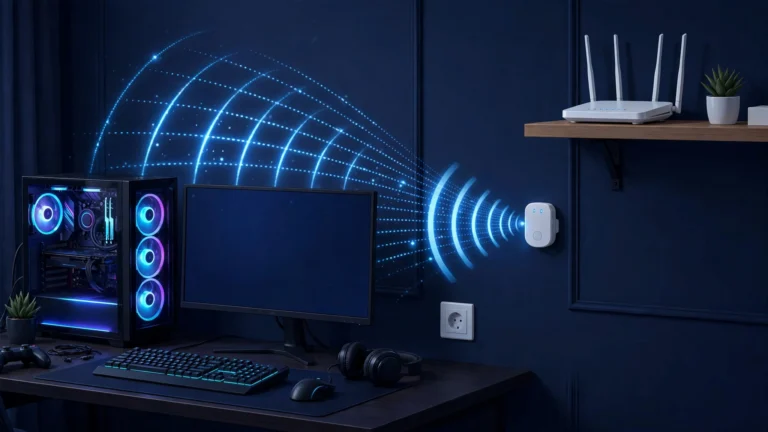
6. Improve your Wi-Fi if you can’t go wired. Move closer to the router, switch to the 5 GHz band, and keep the router in the open — not inside a cabinet. A powerline adapter is a middle-ground option when running a cable is impossible.
7. Rule out your ISP. If packet loss persists on a wired connection straight into the modem, with a good cable, the problem is upstream. Call your ISP and share your test results — loss readings from a ping test or WinMTR run carry far more weight than “my game lags.” Ask them to check for line noise or congestion on your node.
A note on “game boosters” and gaming VPNs: these reroute your traffic through different paths. They can genuinely help when the problem is bad ISP routing to the game server, but they cannot fix Wi-Fi interference, damaged cables, or a failing router. Treat them as a routing tool, not a magic fix.
FAQs About Packet Loss in Gaming
Is 1% packet loss bad for gaming?
Yes — for gaming, 1% is already noticeable. Web browsing and video streaming hide small amounts of loss with buffering and retries, but real-time games can’t. Per the thresholds in internetspeedtest.net’s 2026 guide, 1–2% brings regular stutter and visible lag, and competitive shooters suffer even at lower percentages. Aim for 0%.
Can I have packet loss with fast internet?
Absolutely. Download speed (bandwidth) and packet loss measure different things. A 500 Mbps connection with 3% packet loss will feel worse in games than a 50 Mbps connection with 0% loss. Speed determines how much data can move; packet loss determines how much of it actually arrives.
Does packet loss affect FPS?
No. FPS depends on your GPU, CPU, and graphics settings — packet loss is a network problem. The confusion comes from the fact that both make a game feel bad. If your frame counter is high but players are teleporting, it’s the network; if the game looks choppy even in offline modes, it’s your hardware.
Why do I only get packet loss on Wi-Fi?
Wireless signals are fragile: interference from neighboring networks, walls, other electronics, and distance all corrupt packets in flight. A wired ethernet connection removes almost all of these variables, which is why switching to a cable is the first and most effective fix.
Final Takeaway
Packet loss is missing game data — and even small percentages cause rubber-banding, stuttering, and shots that never register. The fastest path to a fix is: test with a ping test or your game’s network overlay, switch to a wired ethernet cable, and work through the causes from your home network outward. If the loss survives a clean wired setup, take your test results to your ISP.
For the other half of the lag equation, read our guide on what ping means in gaming — low, stable ping plus zero packet loss is the combination that makes online games feel truly responsive.