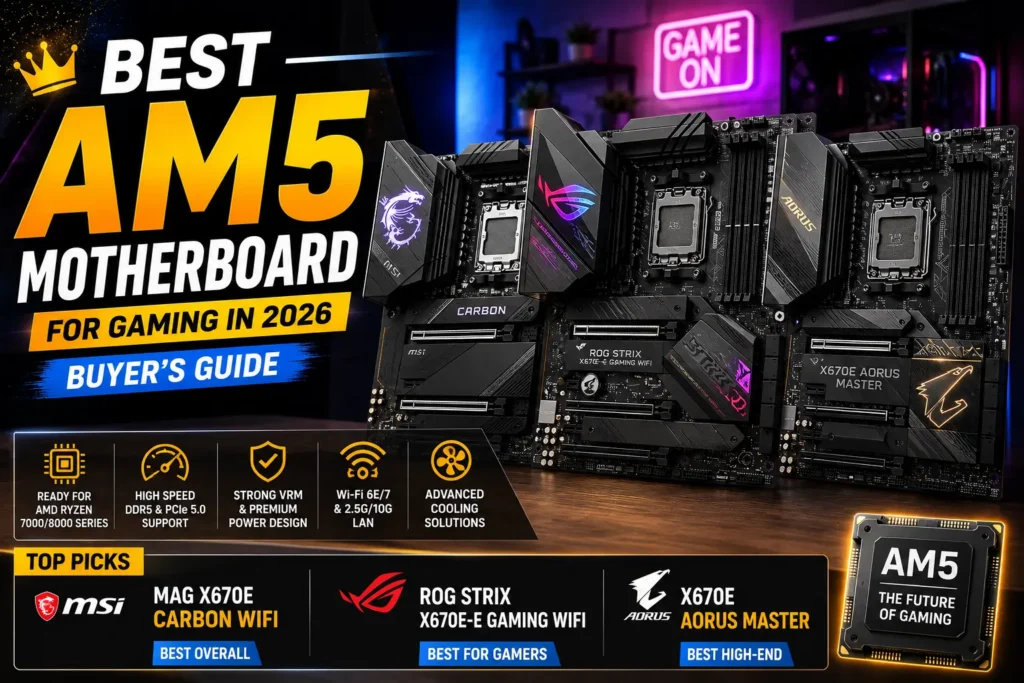
Best AM5 Motherboard for Gaming in 2026 (Buyer’s Guide)
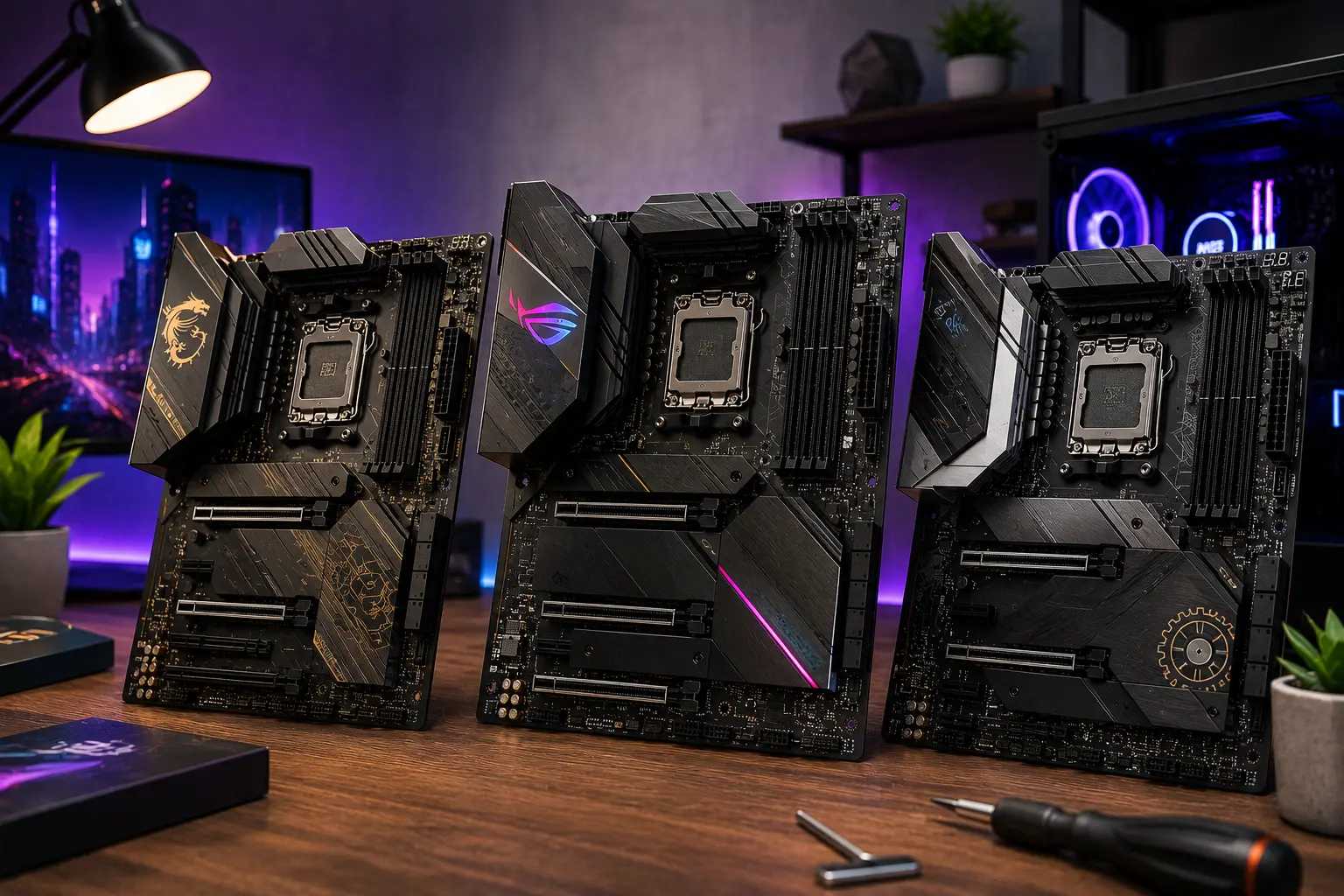
The AM5 platform supports Ryzen 7000, Ryzen 8000, and Ryzen 9000 series processors all on the same socket. AMD has committed to AM5 until at least 2027, making any board you buy today a solid long-term investment through the next Ryzen generation.
The challenge is not finding the best AM5 motherboard for gaming. The challenge is not overpaying for features that do nothing for your frame rates.
This guide covers the best AM5 motherboard for gaming at every budget, explains the chipset differences that actually matter, and gives you a clear answer on which board to pick for your specific CPU and goals.
⚠️ Important Note: For most gamers building in 2026, the B850 chipset is the sweet spot. It includes USB4, PCIe 5.0 support, Wi-Fi 7 options, and full CPU overclocking at a much lower price than X870 boards.
If you own a Ryzen 7 7800X3D or 9800X3D, the best AM5 motherboard for gaming with that chip is any B650 or B850 board with solid VRM design. The chipset does not determine frame rates. Your CPU and GPU do.
📢 Key Takeaways
- Every AM5 chipset from B650 upward supports CPU and memory overclocking
- Chipset badge does not affect gaming frame rates — B650 and X870E produce identical FPS with the same CPU
- B850 is the practical sweet spot for new AM5 builds in 2026
- X870E adds more USB and PCIe lanes, not more gaming performance
- VRM quality matters more than chipset tier for overclocking stability
- AM5 is compatible with Ryzen 7000, 8000, and 9000 — one board supports all three generations
- B840 is significantly more limited than B650 and is worth avoiding for gaming builds
Do AM5 Chipsets Affect Gaming Performance?
Most guides bury this or skip it entirely. Here it is directly: the chipset does not touch gaming performance. With the same Ryzen chip in the socket, a B650 board and an X870 board produce the same frame rates. What the extra roughly $70 buys you on X870 is connectivity you may never plug into: a mandatory USB4 40Gbps port and a guaranteed PCIe 5.0 slot for your graphics card.
This is the single most important thing to understand before choosing a board. Frame rates come from the CPU and the GPU. The chipset decides which ports and expansion options are available on the board. It does not boost gaming performance. Gaming performance depends far more on your processor than your motherboard. If you’re still choosing a CPU, see our Best AM5 CPU for Gaming guide to find the right Ryzen processor for your build.
The chipset badge is one of the least important decisions you will make when building an AM5 system. What actually matters is your CPU, your GPU, and the specific board’s design.
Understanding this one fact protects you from overspending by two chipset tiers on a board that delivers no gaming advantage over a board costing $150 less.
How Do AM5 Chipsets Compare?
Complete AM5 Chipset Breakdown
| Chipset | PCIe 5.0 GPU Slot | PCIe 5.0 NVMe | USB4 (40 Gbps) | CPU OC | Best For |
| A620 | No | No | No | Limited | Basic office builds only |
| B840 | No | No | No | Yes | Tight budget (avoid for gaming) |
| B650 | Sometimes | Sometimes | No | Yes | Budget gaming, discounted boards |
| B650E | Yes | Yes | No | Yes | Budget gaming, PCIe 5.0 confirmed |
| X670 | Yes | Yes | Sometimes | Yes | Previous gen mid-high, discounted |
| X670E | Yes | Yes | Sometimes | Yes | Previous gen high-end, discounted |
| B850 | Sometimes | Sometimes | Yes | Yes | 2026 sweet spot for most gamers |
| X870 | Yes | Yes | Yes | Yes | Mid-high, guaranteed PCIe 5.0 |
| X870E | Yes | Yes | Yes | Yes | Flagship connectivity and expansion |
Between the top chipsets of the 600 and 800 series, the only large difference between X870E and X670E is that X870E boards are guaranteed to have USB 4.0 (40 Gbps), whereas many X670E boards lack this feature.
The X870 is essentially B650 but it requires vendors to add a USB4 port. The X870E is essentially X670E with USB4 and doubled maximum USB ports.
What the E Designation Means
On the 600 series, the E suffix (B650E, X670E) meant the board guaranteed PCIe 5.0 for both the GPU slot and primary M.2 drive.
On the 800 series, X870 and X870E both already guarantee PCIe 5.0 graphics and mandatory USB4. X870E mainly adds more usable lanes and I/O capacity beyond that.
A B650E therefore offers stronger guaranteed PCIe capability than a baseline B850, while many individual B850 boards still exceed the spec minimum and include PCIe 5.0 for the graphics slot.
FAQ: Does a better chipset mean better gaming performance? No. Every AM5 chipset from B650 upward supports CPU and memory overclocking. Unlike Intel’s B-series, every AM5 chipset down to A620 supports CPU and memory overclocking, so a B650 does not cap your Ryzen. For gaming, buy a B650 and put the saved money into your GPU. The chipset adds connectivity and expansion slots. It does not improve frame rates.
Which AM5 Motherboard Is Best for Your Budget?
Best Budget AM5 Motherboard for Gaming: B650 Tier (Under $150)
The best budget AM5 motherboard for gaming in 2026 is the Gigabyte B650 Aorus Elite AX at around $149.
The B650 Aorus Elite AX is a budget-friendly AM5 board that delivers where it counts. It does skip Wi-Fi 7, but you still get three M.2 sockets, four SATA ports, fast memory support, and enough USB ports on the rear IO to make this a solid board to buy now, especially since the price has dropped significantly.
What it includes at this price: three M.2 slots, four SATA ports, 2.5GbE LAN, Wi-Fi 6E, and DDR5 support with strong memory overclocking headroom. PCIe 5.0 for the GPU slot depends on the specific revision, so verify this if you plan to pair it with an RTX 5090 or RX 9000 series card.
Also worth considering: the ASRock B650 Pro RS WiFi at around $139. It comes with four SATA ports, four M.2 slots depending on revision, Wi-Fi 6E, and a clean BIOS that most reviewers describe as easy to navigate. A strong option if Aorus availability is limited in your region.
Who should buy a B650 board: Gamers pairing with a Ryzen 5 7600X, 7600, or Ryzen 7 7700X who want a capable board without paying for connectivity features they will never use. Also a good choice if you find a discounted B650 board at under $120 — at that price point it competes with anything.
FAQ: Is B650 good for gaming? Yes. B650 boards deliver the same gaming frame rates as X870E boards with an identical CPU. They lack guaranteed PCIe 5.0 on the GPU slot and do not include USB4. For a gaming-only build focused on pure frame rate performance, B650 gives you everything you need.
Best Mid-Range AM5 Motherboard for Gaming: B850 Tier ($150 to $250)
The best AM5 motherboard for gaming at mid-range in 2026 is the MSI MAG X870 Tomahawk WiFi at around $179 to $199.
The MSI MAG X870 Tomahawk is the best AMD AM5 gaming motherboard for Zen 5 processors, thanks to its excellent feature set for a very reasonable price.
It includes USB4 40 Gbps, Wi-Fi 7, 2.5GbE LAN, PCIe 5.0 for the GPU slot, and strong VRM design with adequate thermal headroom for overclocking Ryzen 9 series chips. The layout is clean and it ships with a BIOS that handles EXPO memory profiles reliably without requiring manual tuning.
The Gigabyte B850 Gaming X WiFi6E at around $169 to $179 is the value alternative in this tier. It includes PCIe 5.0, three M.2 slots, USB-C, Wi-Fi 6E, and 2.5GbE LAN. Wi-Fi 7 is not present at this price, but for most gamers that matters less than the PCIe 5.0 support and the strong thermal design on the VRM heatsink.
The ASUS TUF Gaming B650-Plus WiFi deserves mention if budget is tight but you want a well-built board. Unlike some other mid-tier boards, the TUF B650 Plus does not skimp on cooling, with chunky heatsinks that provide lots of surface area. The 12+2 phase design with 60A stages is more than enough to power a Ryzen 9 7950X without issue.
Who should buy a B850 or mid-tier X870 board: For most gamers building a new AM5 system in 2026, the B850 is the sweet spot. It offers modern connectivity including USB4 and Wi-Fi 7 options without X870E pricing. This is the tier to target if you are pairing with a Ryzen 7 7800X3D, 9700X, or Ryzen 9 7950X3D and want a board that handles overclocking confidently.
FAQ: What is the best B650 motherboard for gaming? The ASUS TUF Gaming B650-Plus WiFi remains the most consistently recommended best B650 motherboard for gaming in community discussions. Honorable mention goes to the Gigabyte B650 Aorus Elite AX for M.2 slot count and pricing. For a Ryzen 7800X3D specifically, both boards provide everything the CPU needs for maximum gaming performance.
Best High-End AM5 Motherboard for Gaming: X870E Tier ($300 to $500+)
The best high-end AM5 motherboard for gaming is the ASRock X870E Taichi at around $349 to $399.
ASRock’s Taichi motherboards have impressed in recent years as top values for near-flagship features, including fast ports, robust power delivery, premium appearance, and a lower price than competition. The latest iteration, the ASRock X870E Taichi, receives updated design, more powerful VRMs, USB 4.0 Type-C ports, updated networking to 5GbE and Wi-Fi 7, and its launch price manages to be less than the previous-gen X670E Taichi.
It carries five M.2 slots, dual USB4 Type-C ports at 40 Gbps, 5GbE LAN, Wi-Fi 7, and VRM stages capable of running any current Ryzen chip at sustained high clocks without thermal throttling. For builders who need maximum NVMe storage, capture card slots, multiple USB devices, or a long upgrade path across two or three Ryzen generations, this board checks every box.
The ASUS ROG Strix X870E-E Gaming WiFi sits at the premium end of this tier at around $499. It includes 18+2+2 power stages, Dynamic OC Switcher, five M.2 slots, Wi-Fi 7, USB4, and a full feature set for enthusiast builds and content creation rigs where the AM5 platform is doing more than gaming.
Who should buy an X870E board: Streamers running capture cards, content creators who need multiple high-speed NVMe drives, users who need USB4 for external SSDs or displays, and builders who want the most future-proof AM5 board available today. For pure gaming, the X870E adds no frame rate advantage over a B850 board with the same CPU.
FAQ: Is X870E worth it for gaming? Only if you need the connectivity. Between X870E and X670E, the only large difference is that X870E boards are guaranteed to have USB4 40 Gbps. X870E features twice the USB and maximum SATA ports alongside additional chipset PCIe lanes for better networking, more expansion slots, or additional controllers for even more M.2, USB, or SATA connections. For a dedicated gaming build where connectivity is not a priority, B850 boards deliver the same in-game performance at significantly lower cost.
Best AM5 Motherboard for 7800X3D and 9800X3D
The Ryzen 7 7800X3D and 9800X3D are the top gaming CPUs on the AM5 platform. They use 3D V-Cache stacked on the CCD, which dramatically increases gaming performance in CPU-limited titles.
These chips do not benefit from extreme VRM overprovisioning the way a Ryzen 9 does, because they run at modest power targets by design. A B650 or B850 board with a 12+2 or higher power delivery design handles them easily.
The MSI MAG X870 Tomahawk WiFi and Gigabyte B650 Aorus Elite AX are both community-recommended choices for pairing with the X3D chips. Reddit’s r/buildapc and r/Amd consistently confirm that board choice below X870E has no effect on 7800X3D or 9800X3D gaming performance. Spend more on the GPU instead.
FAQ: What is the best AM5 motherboard for gaming with the 7800X3D? Any B650E or B850 board with at least a 12+2 phase design handles the 7800X3D without limitation. The best AM5 motherboard for gaming with a 7800X3D is the one that fits your budget and includes the storage and connectivity you need, not the most expensive X870E available. Recommended picks: MSI MAG X870 Tomahawk, Gigabyte B650 Aorus Elite AX, or ASUS TUF B650-Plus WiFi.
What to Look For When Buying an AM5 Motherboard
VRM Quality
VRM stands for Voltage Regulator Module. It controls power delivery to the CPU. A weak VRM causes throttling under sustained all-core loads, which matters for Ryzen 9 chips running productivity workloads.
For gaming CPUs like the 7800X3D or 9700X, even a modest 10+2 phase design handles the load. For Ryzen 9 7950X or 9900X overclocking, aim for 16+ power stages with 60A or higher rated components per stage.
Memory Support (EXPO)
AM5 uses DDR5 exclusively. All AM5 motherboards support DDR5, but memory overclocking speed depends on how well the board’s trace routing and BIOS handle EXPO or XMP profiles.
Boards in the B850 and X870 tier generally handle DDR5-6000 and DDR5-6400 EXPO profiles more reliably than budget B650 boards. For Ryzen 7000 and 9000 gaming, DDR5-6000 in the IF 1:1 ratio is the sweet spot for performance.
M.2 Slots and PCIe 5.0 NVMe
Current-gen gaming has no practical need for PCIe 5.0 NVMe speeds. PCIe 4.0 NVMe drives are faster than any game can meaningfully use for load times. PCIe 5.0 NVMe matters for video editing and large file transfers, not gaming.
Focus on how many M.2 slots the board includes and whether they share bandwidth with other slots. Three M.2 slots with independent bandwidth is better than four slots where two share lanes.
Connectivity: USB Ports and Networking
Check what is on the rear I/O before buying. Useful features for a gaming build: at least four USB-A ports, one or two USB-C ports (USB 3.2 Gen 2 minimum), 2.5GbE or faster LAN, and Wi-Fi 6E or Wi-Fi 7 if you cannot run ethernet.
USB4 (40 Gbps) is a requirement on X870 and above but not on B850 or below. If you use external SSDs or Thunderbolt docks, verify the USB4 spec before purchasing.
Form Factor
Most gaming builds use ATX motherboards for maximum slot availability and cooling clearance. MicroATX boards save space at the cost of one or two M.2 slots and reduced expansion. Mini-ITX boards are excellent for compact builds but are significantly more expensive per feature.
Which AM5 Motherboard Should You Buy?
| Budget | Pick | Price | Best For |
| Under $150 | Gigabyte B650 Aorus Elite AX | ~$149 | Budget gaming, Ryzen 5/7 |
| Under $150 | ASRock B650 Pro RS WiFi | ~$139 | Value, solid BIOS |
| $150 to $250 | MSI MAG X870 Tomahawk WiFi | ~$189 | Most gamers, Ryzen 7/9 |
| $150 to $250 | Gigabyte B850 Gaming X WiFi6E | ~$169 | Value mid-range |
| $150 to $250 | ASUS TUF Gaming B650-Plus WiFi | ~$159 | Solid mid-range, proven VRMs |
| $300 to $400 | ASRock X870E Taichi | ~$369 | Enthusiast, heavy multi-use |
| $400+ | ASUS ROG Strix X870E-E Gaming WiFi | ~$499 | Flagship, streaming, content |
Planning a complete build? Check out our Gaming PC Under $1000 guide for balanced AM5-based gaming PC builds that pair these motherboards with the right CPUs and GPUs.
Frequently Asked Questions
Conclusion
The best AM5 motherboard for gaming in 2026 is not the most expensive one. It is the one that matches your CPU’s power delivery requirements, gives you the storage and connectivity you actually use, and leaves budget for the component that actually moves your frame rates: the GPU.
For most builders, a B850 or mid-tier X870 board in the $150 to $200 range covers every gaming need with room to upgrade CPUs across one or two more Ryzen generations on the same socket.
Pick your Ryzen CPU first. Match the board to the CPU. Spend the remainder on the GPU.