L-Shaped Gaming Desk: Setup Guide (2026)
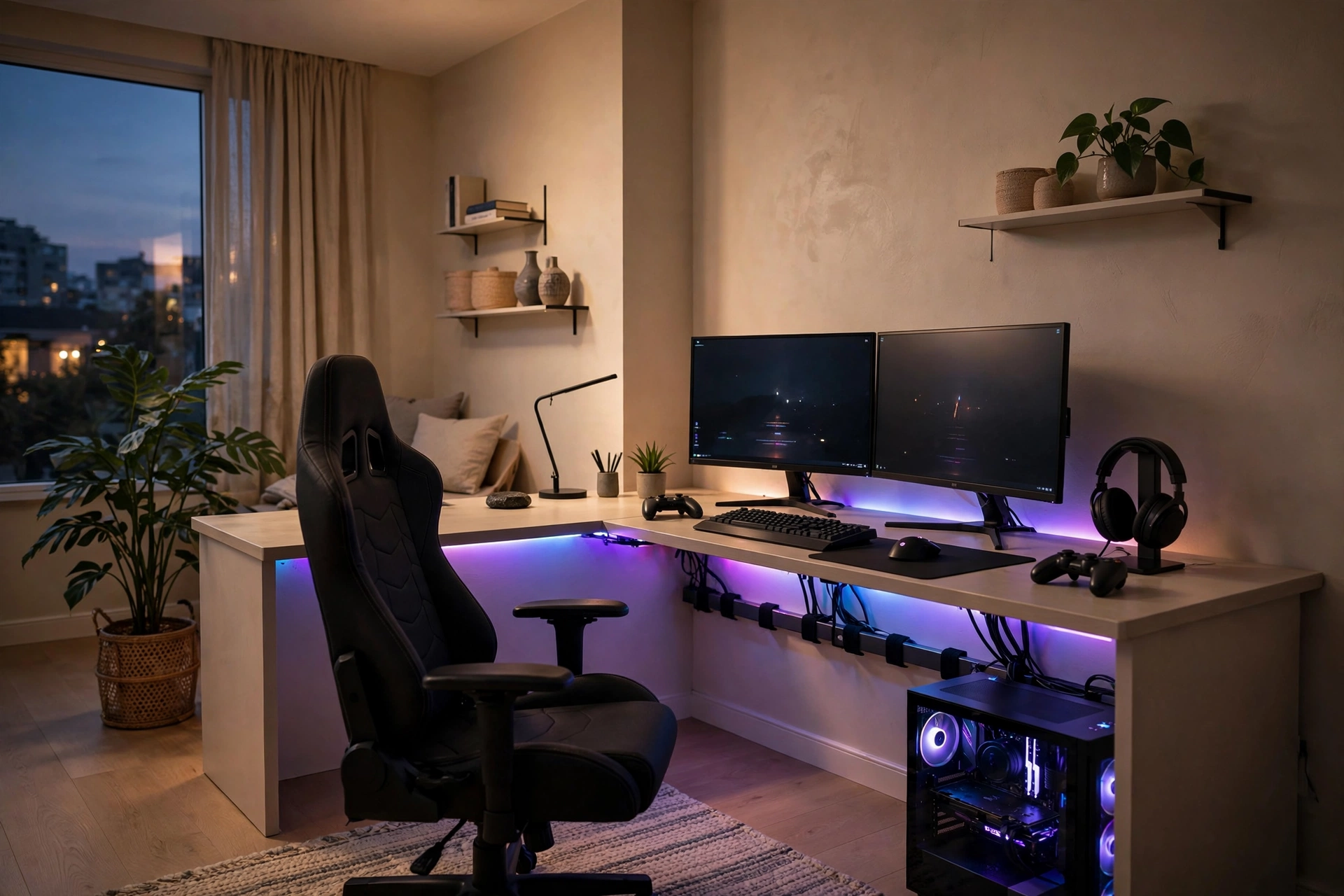
An l-shaped gaming desk is one of the best upgrades you can make to a gaming setup. It gives you noticeably more usable surface than a straight desk while tucking neatly into a corner — dual monitors on the long wing, streaming gear or a console on the short one, and no more fighting your keyboard for space.
But “L-shaped” covers everything from cramped 40-inch budget models to massive standing desks, and buying the wrong size is an expensive mistake. Here’s how to pick the right one and set it up properly.
Why an L-Shaped Gaming Desk Works So Well
- Corner placement frees up the center of your room while giving you more surface than any straight desk that fits the same wall.
- The long wing fits dual or even triple monitors on arms or stands, with room to spare.
- The short wing holds streaming gear — mic arm, audio interface — or a console, a laptop, or just your snacks. It keeps the main battlestation clear.
- Two zones, one desk. Work on one wing, play on the other, without rebuilding your setup twice a day.
What Size Do You Actually Need?
Measure your corner before you fall in love with a model. As a rule of thumb:
- Modest setup (one monitor, no streaming gear): 39–42 inches per side is enough.
- Dual monitors or streaming: go 50+ inches per side. Common footprints are 60×60, 60×48, and 72×60 inches.
- Desktop depth: aim for 24″+ on the main wing. That puts the monitor 20–30 inches from your eyes with room for the keyboard in front — shallower desks force you to crane forward.
- Height: around 29–30 inches is the standard fixed height. If you’re tall or short, a height-adjustable model is worth the premium.
- Floor space: allow room for the chair to roll back. A 70-inch desk realistically needs about 79×39 inches of floor area once you count clearance.
What to Look for When Buying
Weight capacity. Budget fixed desks rate around 110–220 lbs; premium sit-stand L-desks go 220–330 lbs. Two monitors on arms plus a PC on the desk adds up fast — check the spec sheet, not the marketing copy.
Frame and legs. Alloy or carbon steel legs with powder coating; Z-frames or 3-leg designs stay stable under heavy multi-monitor loads where a wobbly 2-leg frame will drive you insane.
Cable management. Look for grommet holes, an under-desk wire tray or basket, and adhesive clips. Some models even build AC/USB outlets into the desktop — genuinely useful, not a gimmick.
Reversible panels. Many L-desks let you mount the short wing on the left or right. Confirm the orientation before you order — some brands make you choose at checkout and won’t swap it later.
Desktop material. Engineered wood with a textured finish is the norm at budget prices; it scratches if you look at it wrong, so budget for a desk mat too.
Ergonomics and Setup Tips
- Monitor distance: 20–30 inches from your eyes. Bigger monitors go toward the far end of that range.
- Monitor height: top of the screen at or slightly below eye level — your eyes should land around the top third of the display.
- Dual monitors: primary screen directly in front of you, secondary angled inward, both at the same height. Don’t put your main monitor off to one side; your neck will file a complaint.
- Under-desk clearance: you need roughly 15 inches of knee depth and 24 inches of foot depth. If your chair has arms, check they’ll slide under — most cutouts need 24–27 inches of width.
- Cable routing: run power and display cables along the rear edge into a tray before you plug in the monitors. Cables draped across the corner joint are how setups go from clean to chaos.
- Pair it with the right chair. A big desk with a bad chair just means longer sessions in worse posture — our gaming chair comparison breaks down which type suits long sessions.
Example Models (Specs, Not Reviews)
To be clear: we haven’t bought and tested these. These are well-known models with specs taken from manufacturer pages, so you can see what each price tier actually buys:
- Homall 51″ L-Shaped — 51.3 × 19.8 × 29 in, 220 lbs max load, steel frame, detachable monitor stand, reversible shelf. The classic budget pick.
- Eureka Ergonomic EGD 60 — 60 × 43.7 in, electric height adjustment (30–48.6 in), 220 lbs load, RGB lighting, cable grommets. The mid-range standing option.
- FlexiSpot E7L — modular 55×28 + 76×24 in pieces, 25–50.7 in height range, triple motor, 330 lbs capacity, 15-year warranty. The premium workhorse.
- Secretlab Magnus Pro XL (with L-extension) — 70 × 31.5 in base, 25.6–49.2 in height, 265 lbs load, full-length cable tray with integrated power. The “money is no object” pick.
Check current prices before buying — desk prices swing constantly, and last year’s premium model is often this year’s deal.
Frequently Asked Questions
Do L-shaped gaming desks wobble?
Cheap 2-leg designs can, especially with monitor arms. Three-leg and Z-frame designs are far more stable — and staying within the rated weight capacity matters more than the frame shape.
Can you use an L-shaped desk against a flat wall instead of a corner?
Yes. The corner is the natural spot, but against a wall the short wing becomes a handy side table. Just make sure you can reach it comfortably from your chair.
Are standing L-shaped desks worth it?
If you both work and game at the same desk, yes — alternating sitting and standing through the day is the single biggest comfort upgrade after the chair itself. But they cost 2–3x a fixed desk, so it’s a real investment.
What goes on the short wing?
Whatever doesn’t need to be in front of you: streaming mic arm, audio interface, console, laptop dock, or just elbow room. Keep the long wing for monitors, keyboard, and mouse — that’s the battlestation.
Conclusion
For gaming, an l-shaped gaming desk beats a straight desk in almost every room that has a corner to spare: more surface, better zoning, and cleaner cable runs. Get the depth right (24″+), respect the weight rating, plan your cable routing before you plug anything in, and pair it with decent gaming monitors — the desk is the foundation everything else sits on.